No app, no Bluetooth, no passwords — just a single button that keeps your coffee at the exact temperature you want for hours. The Nextmug is a compelling alternative to the Ember at a similar price point, with a larger capacity, a hotter maximum temperature, and a simpler experience. Here’s the full breakdown.
Introduction
Cold coffee is one of life’s most preventable frustrations, and the self-heating mug category has grown rapidly to solve it. The Ember Mug has dominated that space for years — but the Nextmug has quietly built a loyal following among users who want the same core functionality without the app dependency, the Bluetooth pairing issues, or the premium brand markup. Designed and tested in Boulder, Colorado, the Nextmug takes a deliberately simple approach: one button, three temperatures, and a docking coaster that keeps the battery topped up whenever you’re at your desk. After analyzing six months of real-world use reports and hands-on reviews, here’s an honest assessment of what it does well — and where it falls short.
What is it?
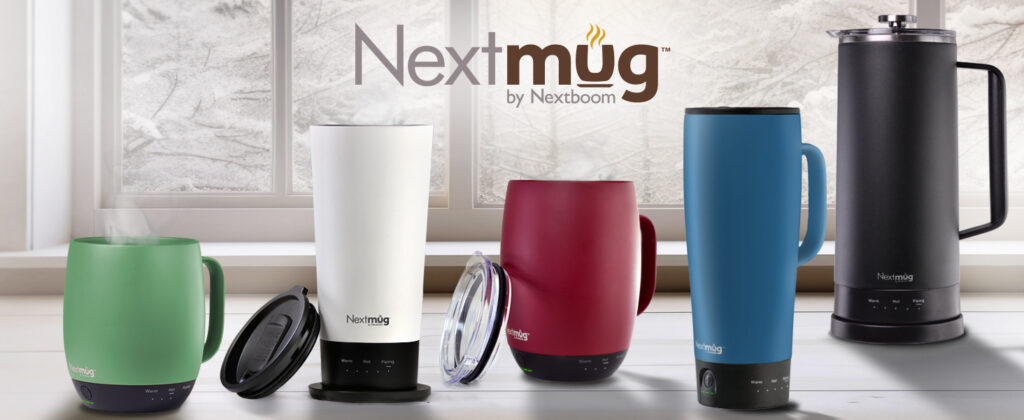
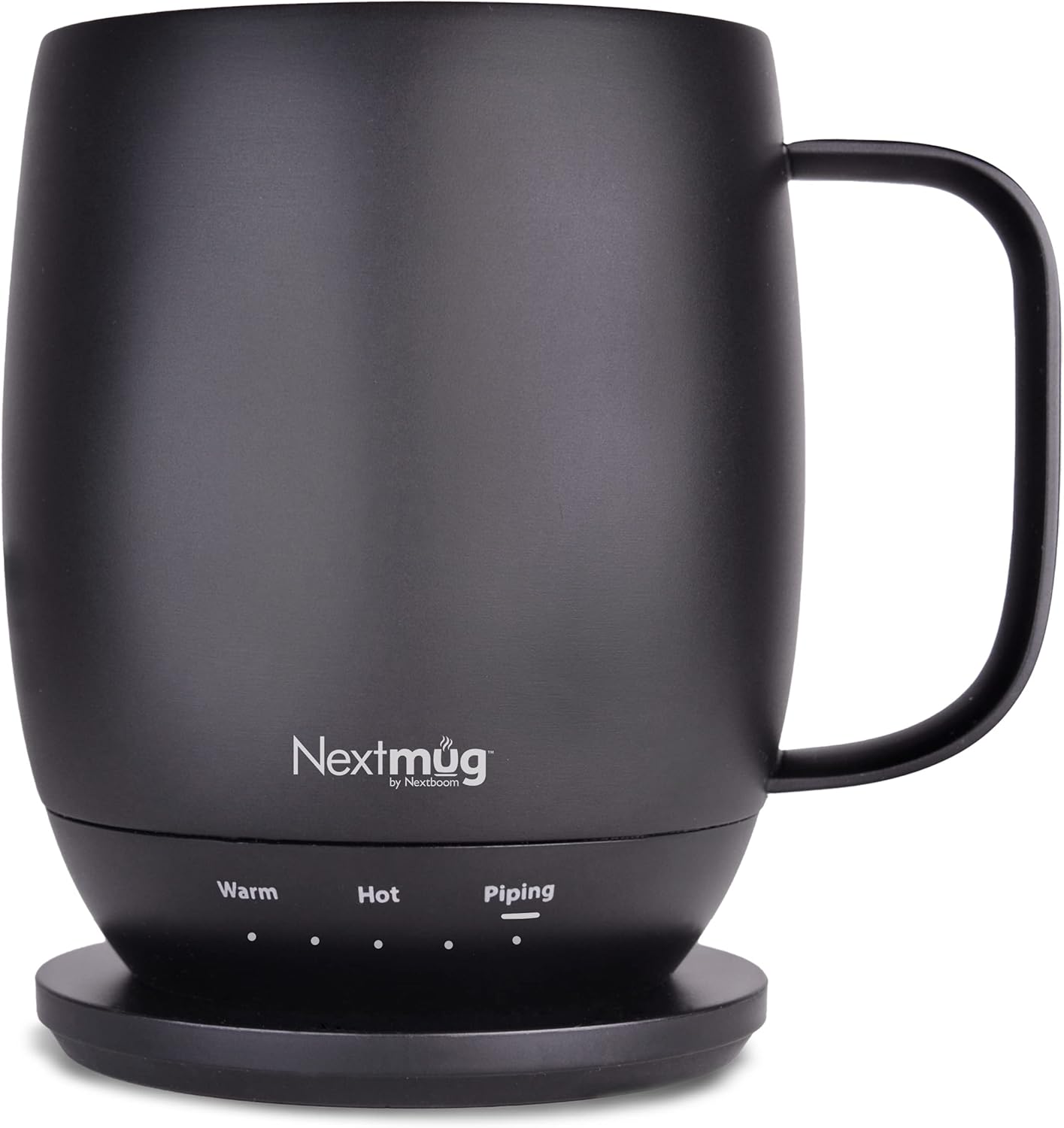
The Nextmug is a 14 oz. self-heating coffee mug with a stainless steel body finished in a ceramic matte coating. It maintains your chosen temperature using a lithium-ion battery and built-in heating element, controlled via an onboard button — no smartphone app or Bluetooth connection required. LED indicators on the mug display real-time temperature and battery level at a glance. It ships with a docking coaster (with a 6-foot cord), a spill-resistant lid, and charging instructions. The coaster charges the mug continuously when docked, meaning you can leave it on your desk all day and always have a warm drink ready.
Key specifications
| Capacity | 14 oz. (also available: 18 oz. Plus, 16 oz. Go travel version) |
| Temperature settings | 3 presets — Warm (130°F), Hot (140°F), Piping (150°F) |
| Battery life (off dock) | 1–2 hours depending on setting and ambient temperature |
| Charging | Docking coaster + 6-foot cord (continuous charge when docked) |
| Control | Single onboard button — no app, no Bluetooth |
| Display | LED indicators — battery level + real-time temperature |
| Body material | Stainless steel with ceramic matte finish |
| Lid | Spill-resistant lid included |
| Auto shut-off | Yes — safety feature when empty or fully charged |
| Dishwasher safe | No — hand wash only |
| Microwave safe | No |
| Colors | Black, Slate Blue, and others |
Temperature settings — what each one is best for
130°F
Warm
Best for tea, herbal infusions, or sensitive palates. Longest battery life.
140°F
Hot
Ideal for most coffee drinkers. Balanced heat and battery use.
150°F
Piping
For those who like it very hot. Faster battery drain. 5°F hotter than Ember’s max.

Pros and cons
✓ Pros
- No app required — works instantly, every time
- Accurate, consistent temperature maintenance
- Continuous charging on dock — no “recharge when empty” rule
- 150°F max — 5°F hotter than Ember Mug 2
- LED display shows real-time temp and battery level
- Spill-resistant lid included (Ember doesn’t include one)
- Ceramic matte finish resists fingerprints and feels premium
- 6-foot charging cord — flexible desk and countertop placement
- Auto shut-off safety feature
- Available in 14oz, 18oz, and 16oz travel versions
✗ Cons
- 1–2 hours off-dock battery life — less than Ember’s 80 min (similar but not portable for full days)
- Only 3 fixed temperature presets — no custom settings
- Not dishwasher safe
- Docking coaster required for extended use — not fully cordless
- No app means no remote temperature changes or usage data
- Charging contacts need occasional cleaning
Nextmug vs. Ember Mug 2 — key differences
|
Key differences |
Nextmug | Ember Mug 2 | |
|
App required |
No app | Requires app | |
|
Max temperature |
150°F | 145°F | |
|
Lid included |
Yes | Not included | |
|
Dock charging rule |
Charges anytime | Must be empty to charge | |
|
Custom temperature |
3 presets only | 1° increments | |
|
Battery life off dock |
~1–2 hrs | ~80 min (similar) | |
|
Fingerprint resistance |
Ceramic matte | Stainless (shows prints) | |
|
Price |
~$100 | ~$130–$150 |
Nextmug
Manual
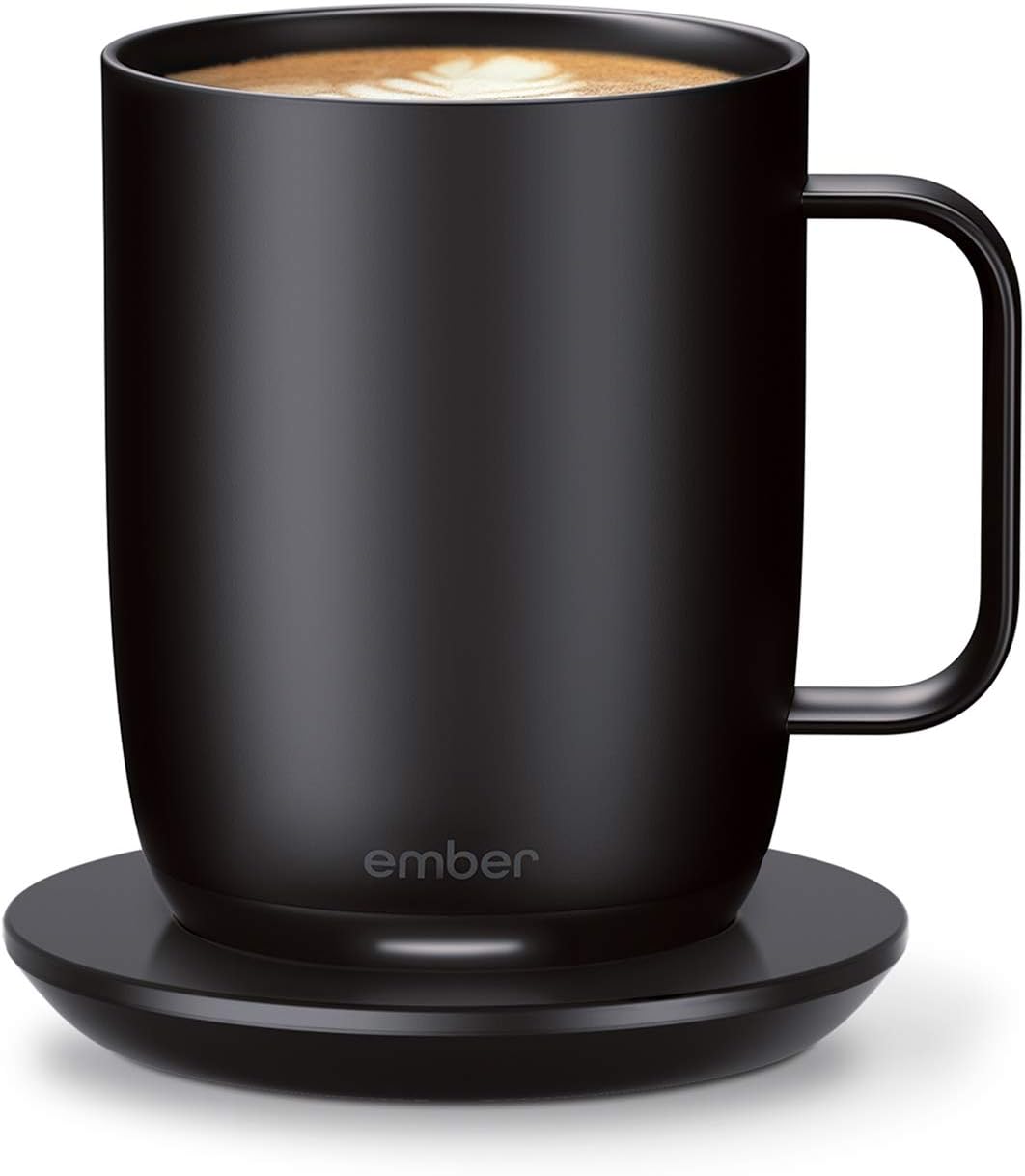
Ember Mug 2
Programmable, Scratch Resistant
Performance in practice
Temperature accuracy is where the Nextmug earns its reputation. Users who have tested it with kitchen thermometers report minimal drift once the mug reaches the selected set point — the heating element cycles on and off precisely enough to keep drinks within a few degrees of the target temperature for as long as the mug is docked or the battery holds. The 150°F Piping setting is the warmest available on any consumer self-heating mug at this price, and regular users of the Ember who switched to the Nextmug specifically cite the hotter maximum as a reason for the switch.
Off the dock, battery life runs approximately 1 to 2 hours depending on temperature setting, how full the mug is, and ambient conditions. On the Warm setting with the lid on, some users report approaching 2 hours of maintained temperature; on Piping without the lid, closer to 60 to 75 minutes. For desk-based use where the coaster is always nearby, this is not a meaningful limitation. For users who want to carry a warm drink for an extended commute without access to a power source, the shorter off-dock life is worth factoring in.
The docking coaster itself is a strong practical advantage over the Ember in one specific way: the Nextmug charges continuously whenever it’s on the dock, whether it contains liquid or not. The Ember Mug 2 only charges when the mug is empty — meaning if you set a full Ember on the dock and walk away, the battery drains while the mug is sitting there. Multiple long-term users who owned both mugs cited this as one of the most frustrating real-world differences.
Who is this for?
Great fit
- Desk workers who want hot coffee all day
- Anyone frustrated by Bluetooth-dependent smart mugs
- Coffee and tea drinkers who prefer simplicity
- Gift buyers — premium feel, easy to use
- Users who want hotter temperatures (150°F)
Consider alternatives if…
- You want precise custom temperature control (1° increments)
- You need a full day of off-dock battery life
- You want app-based features (schedules, usage tracking)
- You need a dishwasher-safe mug
Final verdict
8.5 out of 10
★★★★☆
A reliable, well-built heated mug that solves the core problem simply and effectively. The app-free design and continuous dock charging are genuine advantages over the Ember for most everyday users.
The Nextmug does exactly what it promises: keeps your coffee at the temperature you choose, without requiring you to interact with a phone. For desk-based coffee drinkers who want a reliable, premium-feeling heated mug — and who don’t need app-controlled precision — it’s a more practical daily driver than the Ember at a lower price. The three-preset temperature system and the 1–2 hour off-dock battery are real limitations, but for the majority of users who spend most of their day near a desk, neither is a dealbreaker. If the Ember’s Bluetooth pairing issues have frustrated you, the Nextmug is the straightforward fix.
•ALWAYS THE PERFECT TEMPERATURE – The Nextmug will keep your hot coffee, tea or preferred beverage at the perfect temperature wherever you are. Simply select Warm (130° F), Hot (140° F), or Piping (150° F) and enjoy for hours.
•SMART MUG TECHNOLOGY – Long-lasting battery maintains your ideal temperature. LED lights display battery life & real-time temperature. Includes Spill-Resistant Lid & Charging Coaster.
Related Posts

Apple iPad (A16) 11-inch Review — The Best Tablet for Most People in 2026
The Apple iPad 11-inch (A16) proves that you don't need…

ARZOPA Z1FC Portable Monitor Review: A Genuinely Smart Travel Companion, With Modest Image Quality
Overview This review covers the ARZOPA Z1FC, a 16.1-inch portable…
AULA T102 Gaming Keyboard and Mouse Combo Review: A Flashy Budget Set, Just Don’t Expect a Mechanical Keyboard
AULA T102 Gaming Keyboard and Mouse Combo Review The AULA…
