Apple MacBook Air 15″ (M5, 2026) Review

Overview
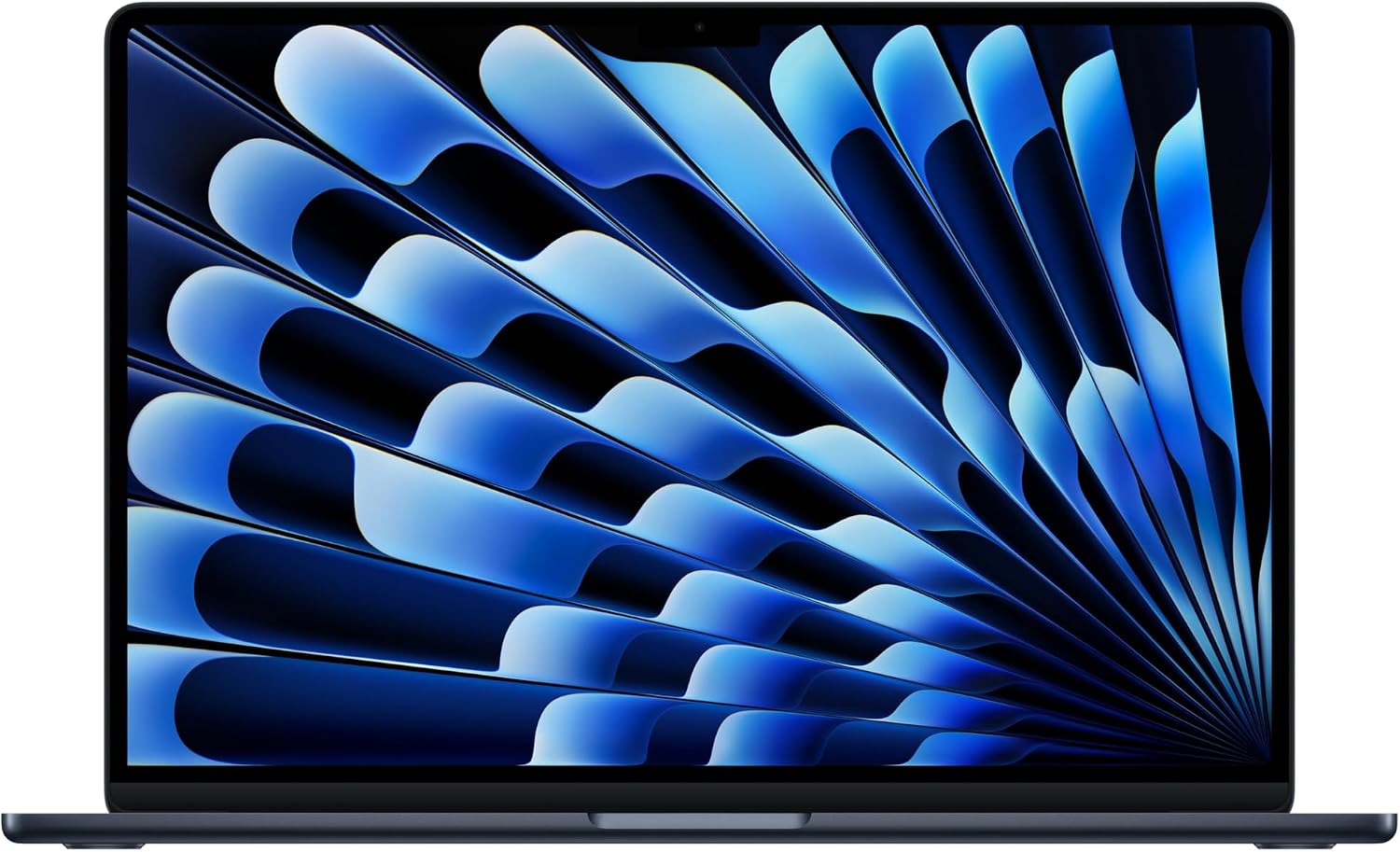
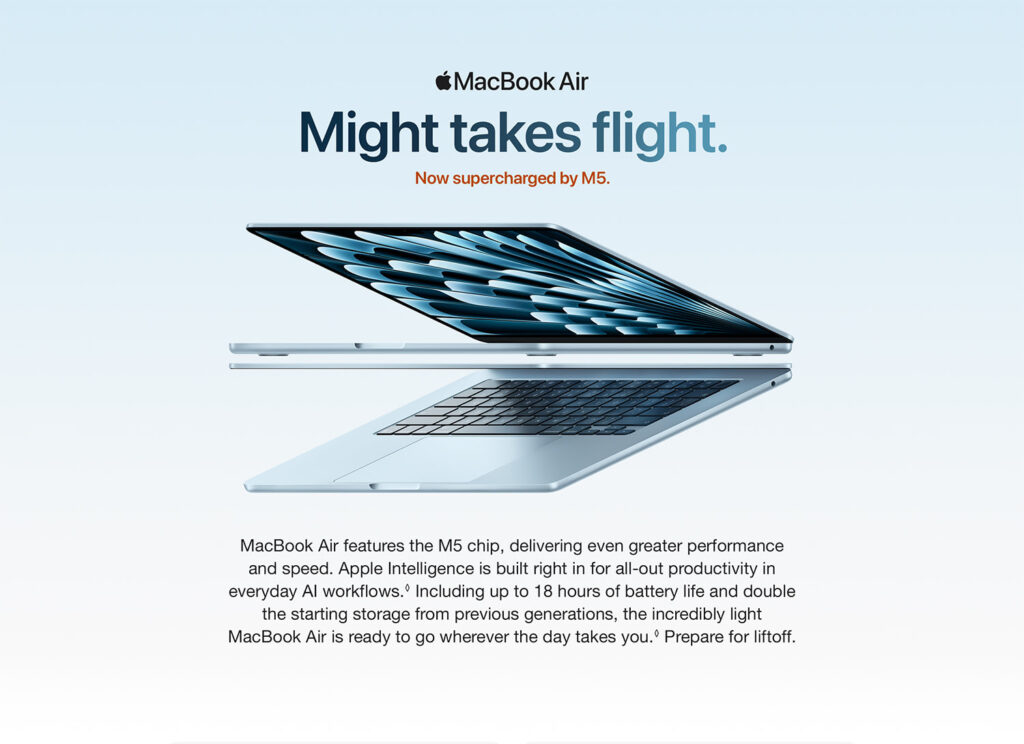
This review covers the 2026 Apple MacBook Air, 15.3-inch, M5 chip (10-core CPU, 10-core GPU), 16GB unified memory, 512GB SSD, in Midnight. This configuration sits as the starting point for the 15-inch M5 Air lineup — Apple also offers 24GB RAM and up to 2TB storage configurations, plus a smaller 13.6-inch model, at various price points, all sharing the same core M5 chip and design. It’s worth being direct about one thing upfront, echoed by essentially every reviewer: this is an incremental, expected annual refresh rather than a redesign. The chassis, ports (Thunderbolt 4, MagSafe 3), and 60Hz Liquid Retina display are unchanged from the 2024/2025 M4 generation; the real story here is entirely about what the new M5 chip and a few smaller upgrades (Wi-Fi 7, doubled base storage) deliver.
Performance: A Real, Meaningful Gain Over the M3 — Less So Over the M4
This is the most important, nuanced point for anyone deciding whether to buy or upgrade, and reviewers are remarkably consistent and specific about it. Engadget’s direct Geekbench 6 benchmarking found the M5 scores 11% faster in single-core and 17% faster in multi-core tests versus the M4 Air, with a more substantial 31% GPU improvement. Their conclusion was blunt and fair: few people currently owning an M4 Air have a compelling reason to upgrade specifically for these gains, but the M5 represents a genuinely noteworthy upgrade if you’re coming from an M3 or older Air, where the improvement climbs to 31% (single-core) and 43% (multi-core) faster. If you’re comparison-shopping and already own a recent Air, it’s worth being honest with yourself about which generation you’re actually upgrading from before justifying the cost.
The Fanless Design: Excellent for Most Use, With a Real Ceiling Under Sustained Load
This is worth explaining clearly and specifically, since it’s both a genuine strength and a real, physically inherent limitation of the Air’s design — not a flaw unique to this particular unit. The MacBook Air has no cooling fan; Apple relies entirely on passive heat dissipation, which multiple reviewers confirmed keeps the laptop completely silent in every scenario, a genuine, consistently-praised advantage over most Windows ultraportables. Notebookcheck’s rigorous lab testing found no throttling at all during gaming workloads specifically — a genuinely impressive result for a fanless chip.
However, Tom’s Hardware’s sustained-load stress testing (using Cinebench 2026) found the picture is different for prolonged, demanding tasks: the M5’s score started at 3,415 and gradually settled into the low 2,300s as the chip throttled to manage heat over an extended run — a meaningful, measurable performance drop under continuous, heavy workloads like long video exports or extended compiling sessions. This tracks with a consistent, expected characteristic of every fanless MacBook Air generation, not something specific to the M5 — Gizmodo’s review found the Air’s throttling was actually less severe than the base fan-equipped 14-inch MacBook Pro in their testing, somewhat counterintuitively, likely because the Air’s overall workload and clock targets are more conservative to begin with. The practical, reconciled takeaway across sources: for typical daily use — browsing, documents, video calls, streaming, coding, even photo editing — the M5 Air stays cool and performs at its full potential. For sustained, heavy processing (long exports, extensive rendering, intensive compiling), expect a real, measurable performance ceiling to kick in, and the chassis to get genuinely warm to the touch during those tasks.
Display: Good, Not Great, Deliberately
This is a fair, honest criticism worth including, since it’s consistent across multiple technical reviews rather than a one-off complaint. The 15.3-inch Liquid Retina IPS display remains capped at a 60Hz refresh rate, unchanged from previous generations, and Notebookcheck’s review was specifically direct in speculating that Apple has little incentive to improve the Air’s display meaningfully, since doing so could cannibalize sales of the entry-level MacBook Pro, which offers a sharper, faster ProMotion display as one of its key differentiators. The panel itself is genuinely good — sharp, color-accurate, and glossy — and Forbes’ reviewer specifically praised its vivid color reproduction while streaming content, but if a faster refresh rate or mini-LED technology matters to you, that’s a deliberate reason Apple points you toward the pricier MacBook Pro instead.
Battery Life
This remains a genuine, consistently-praised strength. Apple’s official claim of up to 18 hours held up well across reviewer real-world testing, and the combination of the efficient M5 chip and fanless design means you get both excellent endurance and completely silent operation — a combination Windows ultraportables using x86 chips still generally can’t match, according to comparative testing referenced across multiple reviews.
Memory and Storage: A Real, Practical Recommendation
This is worth passing along as genuinely useful buying advice rather than just spec-sheet trivia. Multiple reviewers were specific and consistent that the base 8GB configuration (available on some smaller/cheaper Air variants, though not the configuration reviewed here) should be skipped by most buyers, since modern browser tabs, chat apps, and everyday multitasking make 8GB feel genuinely tight. The 16GB configuration in this specific listing is described across reviews as the sensible, comfortable starting point for most users, with unified memory architecture behaving more generously in practice than the same RAM figure would on a traditional Windows laptop with separate CPU/GPU memory pools. The 512GB SSD, now standard at the base tier (double the previous generation’s base storage), is likewise described as a sensible amount for most people’s actual file needs.
A Real, Consistent Limitation: No User Upgrades
This is worth stating plainly, since it’s an inherent characteristic of the entire modern MacBook Air line rather than a surprise. Both RAM and SSD storage are soldered to the logic board and cannot be upgraded after purchase — Notebookcheck’s review specifically flagged “almost no maintenance options” as a con. Whatever configuration you buy is what you’re committing to for the life of the device, so it’s worth thinking carefully about your storage and memory needs at the time of purchase rather than assuming you can upgrade later.
Webcam and Other Minor Cons
Notebookcheck’s detailed review flagged a couple of smaller, honest criticisms worth including: the 12MP webcam lacks Face ID-style secure authentication, and its photo/video resolution is comparatively low relative to some competing Windows laptops’ webcams — a fair, minor limitation if video calls are a heavy part of your workflow. The standard one-year warranty (extendable via AppleCare+) was also noted as unremarkable relative to some competitors’ longer standard coverage.
How It Compares
The 15-inch model’s specific value proposition, relative to the cheaper 13-inch M5 Air, is a genuinely useful, concrete trade-off worth understanding: for roughly $200 more, you get about 26% more screen area, two additional GPU cores, and a larger chassis that aids heat dissipation, for a modest 0.6-pound weight penalty — several reviewers concluded this is an easy, worthwhile trade for most people who work across multiple windows or benefit from more visible screen space. Notebookcheck’s broader conclusion, echoed by TechRadar naming the M5 Air their top pick overall, was that there’s currently no real competing fanless ultraportable in the Windows or ARM Chromebook space that matches this combination of sustained performance and complete silence — a genuinely strong, differentiated position in the market.
| DISPLAY | 13.6-inch Liquid Retina display | 13.0-inch Liquid Retina display | 15.3-inch Liquid Retina display | 14.2-inch Liquid Retina XDR display | 16.2-inch Liquid Retina XDR display |
| PROCESSOR | Apple M5 chip | Apple A18 Pro chip | Apple M5 chip | Apple M5 chip | Apple M5 Pro chip |
| APPLE INTELLIGENCE | |||||
| CPU | 10-core CPU | 6-core CPU | 10-core CPU | 10-core CPU | 18-core CPU |
| GPU | From 8-core GPU | 5-core GPU | 10-core GPU | 10-core GPU | 20-core GPU |
| MEMORY | From 16GB unified memory | 8GB unified memory | From 16GB unified memory | From 16GB unified memory | From 24GB unified memory |
| BATTERY | Up to 18 hours battery life | Up to 16 hours battery life | Up to 18 hours battery life | Up to 24 hrs battery life | Up to 24 hrs battery life |
| TOUCH BAR AND TOUCH ID | Touch ID | Touch ID (512GB model) | Touch ID | Touch ID | Touch ID |
| STORAGE | From 512GB storage | From 256GB storage | From 512GB storage | From 1TB storage | From 1TB storage |
| LAUNCH YEAR | 2026 | 2026 | 2026 | 2026 | 2024 |





Pros and Cons
Verdict
The 2026 MacBook Air 15″ with M5 remains, by strong critical consensus, one of the very best ultraportable laptops available — its combination of genuinely excellent single-core performance, silent fanless operation, and class-leading battery life is currently unmatched by any competing Windows or ARM laptop in this weight and thermal class. The honest, important nuance is who this update is actually for: if you’re upgrading from an M3 Air or older, the performance gains are real and worth having. If you already own an M4 Air, virtually every reviewer agrees the improvements here are too modest to justify an upgrade on performance grounds alone. It’s also worth knowing, rather than being surprised by later, that sustained heavy workloads will hit a real thermal ceiling in this fanless chassis, and that the display’s 60Hz cap and non-upgradable components are deliberate, ongoing trade-offs of buying an Air rather than stepping up to a MacBook Pro. For the vast majority of everyday users — browsing, office work, streaming, light-to-moderate creative work — this remains an outstanding, easy-to-recommend laptop.

Related Posts

Nextmug Self-Heating Coffee Mug Review (2026): The App-Free Alternative That Holds Its Own Against the Ember
No app, no Bluetooth, no passwords — just a single…
NOCO GB40 Boost Plus Jump Starter Review: Small Box, Big Peace of Mind
Overview The NOCO GB40 Boost Plus is a compact 1000-amp…
TRALT Ergonomic Office Chair Review: Is This Budget Mesh Chair Worth It?
Overview The TRALT Ergonomic Office Chair is a mesh-back, high-back…
