Review
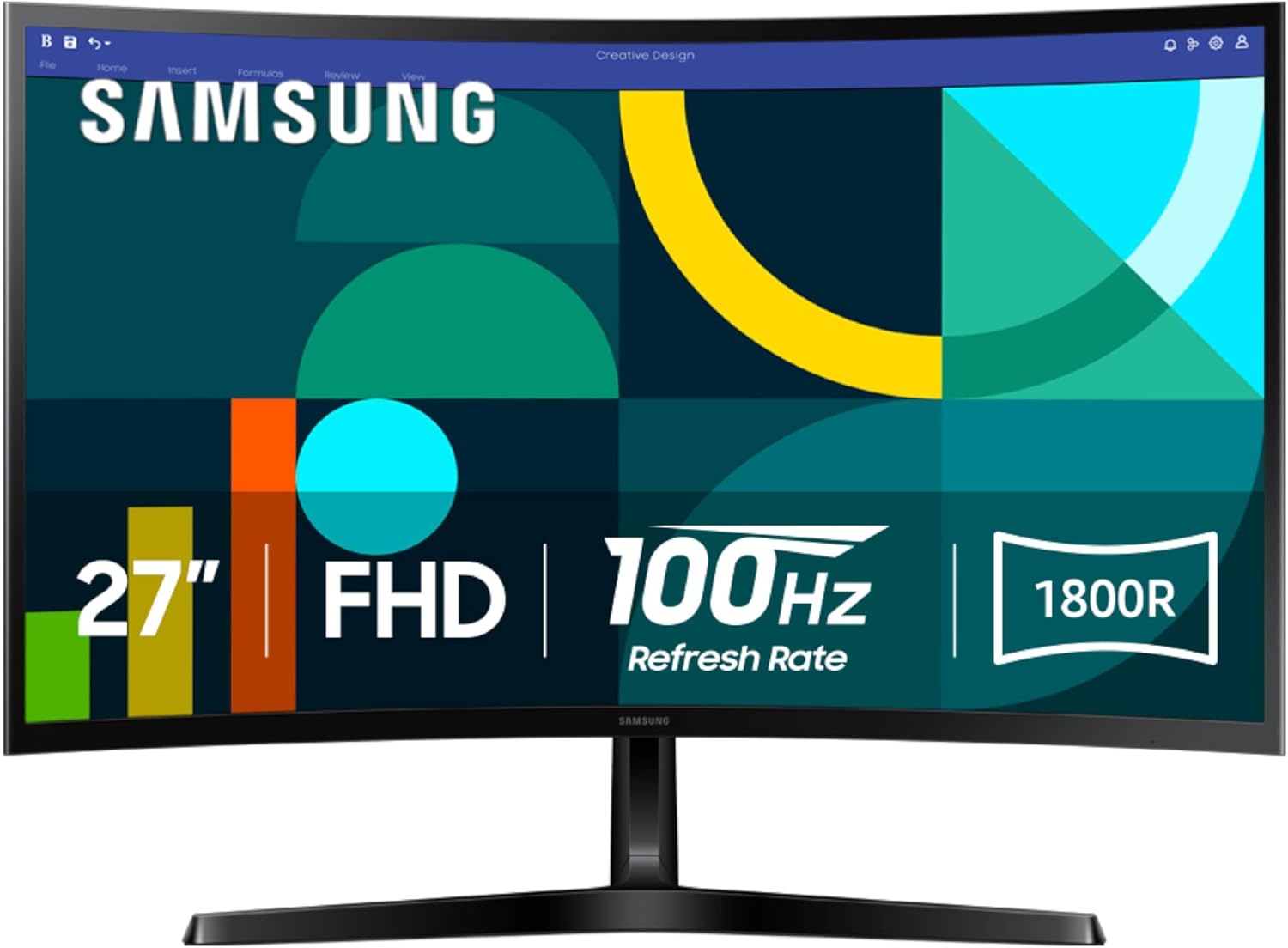
The Essential S3 is Samsung’s budget-friendly curved monitor aimed at everyday users — not a high-end gaming display, but a well-rounded all-rounder for work, casual gaming, and media.
Display Quality
At the core is a VA (Vertical Alignment) panel, well-regarded for strong contrast performance — this model delivers a 3,000:1 contrast ratio, producing deep blacks and rich shadow detail. The 1800R curvature wraps more closely around your field of vision, widening your view and reducing peripheral distraction, which several reviewers noted made a real difference for both productivity and immersive movie-watching. One reviewer switching from a flat 60Hz panel noted that spreadsheet text looked noticeably crisper, with cleaner edges, and that the curve subtly guided the eye toward the center of the screen.

Gaming and Motion
The 100Hz refresh rate reduces motion blur and input lag for fast-paced content, and a dedicated Game Mode lets you adjust color and contrast to spot details in darker scenes, plus a display-filling mode for a more immersive view. It’s not a competitive esports monitor, but for casual gaming, it holds up well.
Eye Comfort
Samsung’s TÜV-certified Advanced Eye Comfort tech reduces blue light and minimizes screen flicker — genuinely useful if you’re doing long work or study sessions in front of the screen, and something a few reviewers specifically credited for reducing fatigue over extended use.

Build and Setup
Unboxing and setup are consistently described as smooth: solid packaging, an included HDMI cable, and simple two-screw stand assembly that results in a sturdy, wobble-free base. The matte black finish resists fingerprints well. The main gap here is adjustability — tilt is smooth, but there’s no height or swivel adjustment, so desk setup flexibility is limited.
Ports
Connectivity is basic — HDMI and D-sub (VGA) only, with no USB-C or DisplayPort. Fine for a simple single-PC setup, but limiting if you want to connect multiple devices or use USB-C for a laptop.
Pros and Cons
Verdict
The Essential S3 is a great value pick for home office and casual use — the curved VA panel, solid contrast, and eye comfort features make it well suited to long work sessions and everyday media consumption. It won’t satisfy competitive gamers or professionals needing color accuracy or extra ports, but for the price, it delivers a genuinely more immersive experience than a typical flat budget monitor.
Related Posts

Amooca Car Seat Headrest Hook Review: A Tiny, Cheap Fix for a Genuinely Annoying Problem
Overview The Amooca Car Seat Headrest Hook is a 4-pack…
Creality K2 Plus Combo Review: A Multicolor Powerhouse, With Real Growing Pains
Overview The Creality K2 Plus Combo is a large-format CoreXY…
Apple MacBook Air 15″ (M5, 2026) Review: Excellent, Familiar, and Not a Reason to Upgrade From Last Year
Apple MacBook Air 15" (M5, 2026) Review Overview This review…
