
- Powerful M5 Max Performance – Apple MacBook Pro 16-inch with M5 Max chip, featuring an 18-core CPU and 40-core GPU for d…
- 128GB Unified Memory – Built with 128GB unified memory to help handle large files, complex projects, multiple pro apps, …
- Fast 2TB SSD Storage – The 2TB solid-state drive provides fast file access, quick app launching, and spacious storage fo…

MacBook Pro 16″ M5 Max (128GB) Review
This is Apple’s flagship laptop configuration: the 16-inch MacBook Pro, announced April 2026, built around the M5 Max chip with an 18-core CPU and 40-core GPU, paired here with 128GB of unified memory and a 2TB SSD in the standard (glossy) display finish. This is a genuinely premium build — Apple’s own pricing puts the 40-core, 128GB configuration at the very top of the 16-inch lineup, well above the $2,699 starting price for the base M5 Pro model, and recent retail data shows even the 48GB/2TB version of this same 40-core chip carrying an MSRP around $4,999 before discounts, so expect this 128GB configuration to sit meaningfully higher still. It’s worth shopping around, since Amazon and other resellers have periodically discounted comparable configurations by $400–$600 off Apple’s own pricing.

CPU and GPU performance: genuinely massive, with a real nuance
The raw numbers here are extraordinary. Gizmodo’s testing found the M5 Max scored roughly 7,000 points higher in Geekbench 6 multi-core testing than Intel’s last-generation Core Ultra 9 285HX, and over 1,000 points higher in Cinebench 2026 multi-core scores compared to an AMD Ryzen AI Max+ 395 in a competing creator laptop. On the GPU side, Notebookcheck’s dedicated analysis found the M5 Max’s 40-core GPU performs on par with Nvidia’s GeForce RTX 5070 and faster than AMD’s Strix Halo platform — genuinely remarkable for an integrated, laptop-class GPU.
Here’s the honest nuance worth knowing, though: Notebookcheck’s separate CPU-specific analysis found the M5 Max’s CPU gains over the previous M4 Max generation were, in their words, “a bit sobering” — the single-core improvement lands around 8%, in line with typical year-over-year gains, but the raw generational leap in CPU terms is smaller than the GPU story would suggest. If your workload is CPU-bound rather than GPU-bound, don’t expect a dramatic jump if you’re upgrading from an M4 Max specifically.
The cooling story: better than the 14-inch, but still a real limitation
This is the most important, most consistently documented issue with the M5 Max chip this generation, and it’s worth taking seriously. Notebookcheck’s review of the 14-inch M5 Max found severe thermal throttling and inconsistent CPU performance even in the laptop’s High Power mode — a genuine, measurable problem in that smaller chassis. The good news for this specific 16-inch configuration: Notebookcheck’s dedicated 16-inch M5 Max review found the larger chassis handles the chip much better, delivering both stronger and more consistent performance than the 14-inch model. But even the 16-inch cannot fully unlock the M5 Max’s potential — their testing found the cooling system caps out around 70 watts, short of what the chip could theoretically use under sustained full load. In practical terms: this is still the better chassis to pair with the M5 Max, and most real-world tasks won’t hit this ceiling, but if you’re running extended, maximum-intensity workloads (long render queues, sustained 3D work), know that even this larger laptop doesn’t fully unleash the chip’s peak potential.
Display, build, and everyday experience
The Liquid Retina XDR Mini-LED display remains a standout, with Notebookcheck’s 14-inch review (sharing the same panel technology) praising extremely high HDR/SDR brightness and accurate colors, and the 16-inch model adds 120Hz ProMotion. Build quality continues to earn praise as high-quality and stable, and the six-speaker sound system is consistently rated excellent across reviews. New this generation: Apple’s own N1 wireless chip brings Wi-Fi 7 and Bluetooth 6 to the MacBook Pro for the first time, and storage speeds get a real boost from PCIe 5.0 SSDs.
Real, documented weaknesses worth knowing about
A few consistent criticisms show up across Notebookcheck’s testing of this generation that are worth taking at face value rather than glossing over:
- Webcam quality remains a weak point. The 12MP Center Stage camera works fine for framing and video calls, but Notebookcheck specifically flagged low resolution for photos and video, and the notable absence of Face ID — a feature competitors and even some of Apple’s own product lines offer, still missing here.
- Maintenance and repairability are essentially nonexistent. All components are soldered, limiting owner-serviceable options to basic fan cleaning — standard for MacBook Pros generally, but worth knowing if long-term repairability or upgradability matters to you, especially given how much you’re paying for RAM and storage upfront.
- Only a 12-month warranty is included by default, standard for Apple but worth budgeting AppleCare into your total cost given how expensive a repair could be on a machine this specced out.
- Weight. At roughly 2.14 kg (4.7 lbs), Notebookcheck noted lighter alternatives exist if portability is a top priority — this remains a workstation-class laptop, not an ultraportable.
Pricing reality check
It’s worth being direct about cost here, because this configuration sits at the very top of Apple’s lineup. Industry coverage of this generation’s pricing found that while base model prices across the M5 Pro and M5 Max line rose a relatively modest 13–15% over the previous generation, RAM and SSD upgrade costs increased far more steeply — by 50–67% in most configurations, with the jump to 64GB and 128GB RAM specifically doubling in price compared to last generation. A maxed-out 16-inch configuration (128GB RAM, 8TB storage) now crosses into five-figure territory. This specific listing — 128GB RAM with a 2TB SSD — sits well below that extreme, but still represents one of the more expensive configurations Apple sells, so go in with clear eyes about what you’re paying specifically for the memory upgrade versus the chip itself.
Who this is actually for
Given the real-world benchmark data, this configuration makes the most sense for professionals with workloads that genuinely benefit from 128GB of unified memory — large-scale video editing with multiple 8K streams, extensive AI/ML workloads run locally, massive multi-app creative pipelines, or heavy 3D rendering. If your work doesn’t regularly push past 32–64GB of memory usage, the jump to 128GB is a significant added cost for headroom you may rarely use, and a lower-memory M5 Max or M5 Pro configuration would likely serve you just as well for meaningfully less money.
Verdict
The 16-inch MacBook Pro with M5 Max and 128GB of memory is an extraordinarily capable machine, and the GPU performance specifically is genuinely best-in-class for a laptop, rivaling discrete desktop-class graphics in a portable chassis. The honest caveats are real, though: even Apple’s largest, best-cooled laptop chassis can’t fully unleash this chip’s peak potential under sustained load, CPU gains over the previous generation are more incremental than headline-grabbing, and Apple’s pricing on memory and storage upgrades has risen sharply this generation — meaning the cost of this specific 128GB configuration reflects that increase directly. If your work genuinely demands 128GB of memory for heavy professional workloads, this remains one of the most powerful laptops money can buy, full stop. If you’re unsure whether you actually need that much memory, seriously consider a 36GB or 48GB M5 Max configuration instead — you’ll get nearly identical chip performance for substantially less money, and put the savings toward AppleCare or your next upgrade cycle instead.
- Powerful M5 Max Performance – Apple MacBook Pro 16-inch with M5 Max chip, featuring an 18-core CPU and 40-core GPU for d…
- 128GB Unified Memory – Built with 128GB unified memory to help handle large files, complex projects, multiple pro apps, …
- Fast 2TB SSD Storage – The 2TB solid-state drive provides fast file access, quick app launching, and spacious storage fo…


- BUILT FOR COLLEGE. AND BEYOND — MacBook Air with the M5 chip packs blazing speed and powerful AI capabilities into an in…
- TEAR THROUGH TOUGH ASSIGNMENTS — With its faster CPU and unified memory, the M5 chip delivers even more performance and …
- MAKE QUICK WORK OF YOUR TO-DO LIST — Apple Intelligence helps you write, express yourself, and get things done effortles…
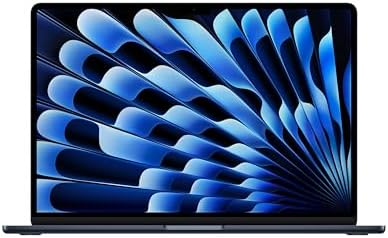
- BUILT FOR COLLEGE. AND BEYOND — MacBook Air with the M5 chip packs blazing speed and powerful AI capabilities into an in…
- TEAR THROUGH TOUGH ASSIGNMENTS — With its faster CPU and unified memory, the M5 chip delivers even more performance and …
- MAKE QUICK WORK OF YOUR TO-DO LIST — Apple Intelligence helps you write, express yourself, and get things done effortles…

- BUILT FOR COLLEGE. AND BEYOND — MacBook Air with the M5 chip packs blazing speed and powerful AI capabilities into an in…
- TEAR THROUGH TOUGH ASSIGNMENTS — With its faster CPU and unified memory, the M5 chip delivers even more performance and …
- MAKE QUICK WORK OF YOUR TO-DO LIST — Apple Intelligence helps you write, express yourself, and get things done effortles…

- BUILT FOR COLLEGE. AND BEYOND — MacBook Air with the M5 chip packs blazing speed and powerful AI capabilities into an in…
- TEAR THROUGH TOUGH ASSIGNMENTS — With its faster CPU and unified memory, the M5 chip delivers even more performance and …
- MAKE QUICK WORK OF YOUR TO-DO LIST — Apple Intelligence helps you write, express yourself, and get things done effortles…
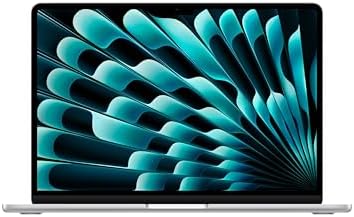
- BUILT FOR COLLEGE. AND BEYOND — MacBook Air with the M5 chip packs blazing speed and powerful AI capabilities into an in…
- TEAR THROUGH TOUGH ASSIGNMENTS — With its faster CPU and unified memory, the M5 chip delivers even more performance and …
- MAKE QUICK WORK OF YOUR TO-DO LIST — Apple Intelligence helps you write, express yourself, and get things done effortles…

- AN AMAZING MAC AT A SURPRISING PRICE — With an incredibly portable and durable aluminum design, up to 16 hours of batter…
- FOUR STUNNING COLORS. ONE DURABLE DESIGN — Choose from four beautiful colors — Silver, Blush, Citrus, or Indigo — each w…
- FLY THROUGH EVERYDAY ASSIGNMENTS — Whether you’re cramming for finals, using Apple Intelligence* to summarize class note…

- BUILT FOR COLLEGE. AND BEYOND — MacBook Air with the M5 chip packs blazing speed and powerful AI capabilities into an in…
- TEAR THROUGH TOUGH ASSIGNMENTS — With its faster CPU and unified memory, the M5 chip delivers even more performance and …
- MAKE QUICK WORK OF YOUR TO-DO LIST — Apple Intelligence helps you write, express yourself, and get things done effortles…

- AN AMAZING MAC AT A SURPRISING PRICE — With an incredibly portable and durable aluminum design, up to 16 hours of batter…
- FOUR STUNNING COLORS. ONE DURABLE DESIGN — Choose from four beautiful colors — Silver, Blush, Citrus, or Indigo — each w…
- FLY THROUGH EVERYDAY ASSIGNMENTS — Whether you’re cramming for finals, using Apple Intelligence* to summarize class note…
- AN AMAZING MAC AT A SURPRISING PRICE — With an incredibly portable and durable aluminum design, up to 16 hours of batter…
- FOUR STUNNING COLORS. ONE DURABLE DESIGN — Choose from four beautiful colors — Silver, Blush, Citrus, or Indigo — each w…
- FLY THROUGH EVERYDAY ASSIGNMENTS — Whether you’re cramming for finals, using Apple Intelligence* to summarize class note…

- Retina display; 13.3-inch (diagonal) LED-backlit display with IPS technology (2560×1600 native resolution)
- Apple M1 chip with 8 cores (4 performance cores and 4 efficiency cores), a 7-core GPU and a 16-core Neural Engine
- 8GB memory | 128GB SSD
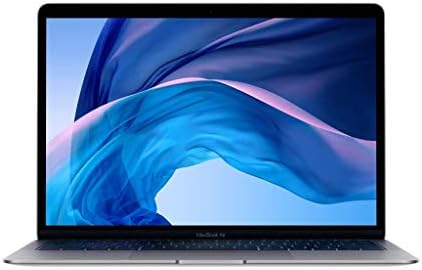
- Stunning 13.3-inch Retina display
- Touch ID and the latest Apple-designed keyboard
- Dual-core 8th-generation Intel Core i5 processor with Intel UHD Graphics 617

- AN AMAZING MAC AT A SURPRISING PRICE — With an incredibly portable and durable aluminum design, up to 16 hours of batter…
- FOUR STUNNING COLORS. ONE DURABLE DESIGN — Choose from four beautiful colors — Silver, Blush, Citrus, or Indigo — each w…
- FLY THROUGH EVERYDAY ASSIGNMENTS — Whether you’re cramming for finals, using Apple Intelligence* to summarize class note…
Related Posts
Sony WH-1000XM5 Review — Premium Noise Cancellation Still Dominates in 2026
The Sony WH-1000XM5 remains one of the most respected premium…

CERAKOTE Ceramic Trim Coat Kit Review: The Real Deal for Faded Plastic Trim
Overview The CERAKOTE Ceramic Trim Coat Kit is a wipe-on…

Ninja Flip SP151 Review: A Clever Space-Saving Toaster Oven and Air Fryer, With a Real Height Limit
Ninja Flip SP151 Review: A Clever Space-Saving Toaster Oven and…
