
Overview
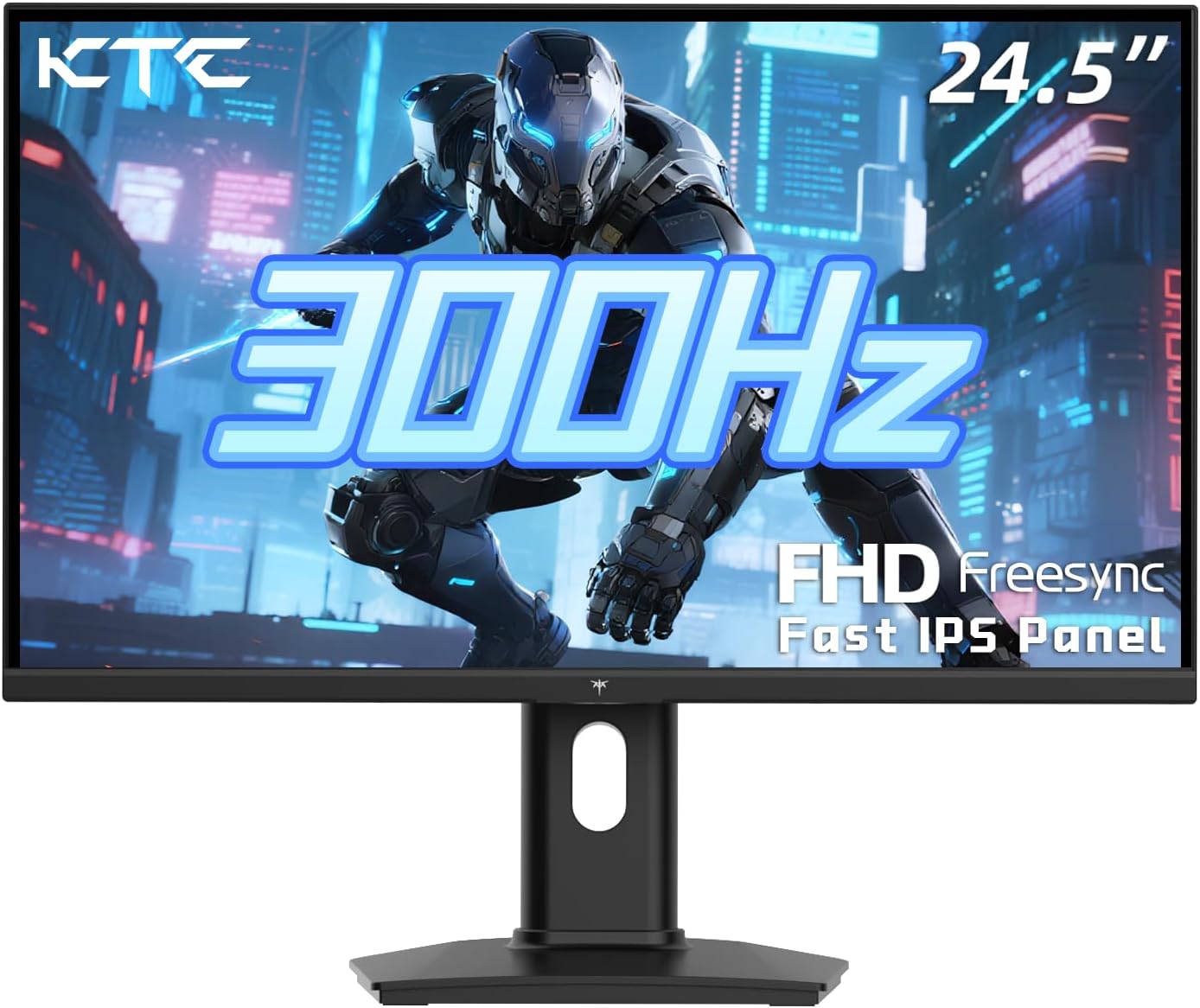
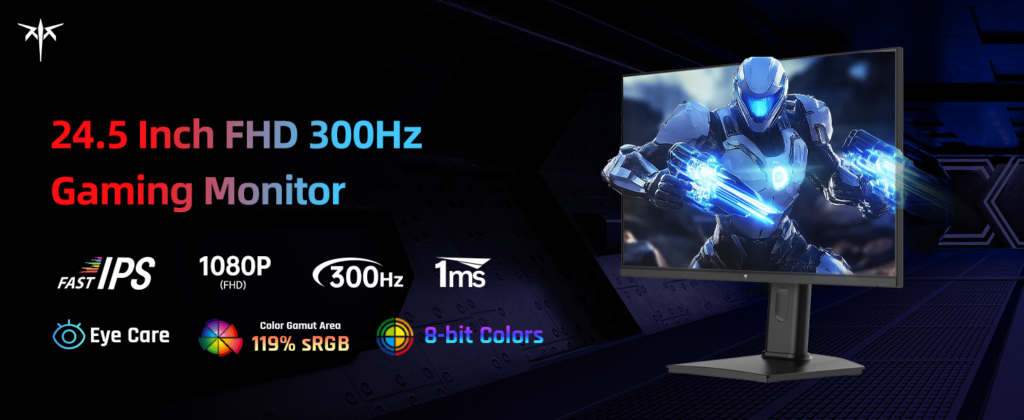
This review covers the KTC H25Y7, a 24.5-inch Fast IPS gaming monitor with a native 1920×1080 resolution, a 300Hz refresh rate over DisplayPort 1.4 (240Hz over its two HDMI 2.0 ports, with an overclock mode reaching 320Hz via DisplayPort), a 1ms response time, HDR10 support, Adaptive Sync (FreeSync-compatible), and a claimed 119% sRGB color volume with roughly 93-95% DCI-P3 coverage. It ships with a fully adjustable stand (height, tilt, and pivot into portrait mode) and VESA mount compatibility. This is a single core configuration — KTC does sell other H-series monitors with different sizes and refresh rates under similar names, so double-check “H25Y7” specifically matches what you’re buying if you’re comparing listings.
A Note on This Brand and Category
Before getting into performance, it’s worth being upfront about something a fair review shouldn’t skip: KTC is a budget, largely direct-to-consumer monitor brand without the kind of extensive, rigorous lab testing you’d find from outlets like RTINGS or Tom’s Hardware for more mainstream brands like Dell, ASUS, or LG. That doesn’t mean the monitor is bad — plenty of enthusiast reviewers and everyday buyers report being genuinely impressed with the price-to-performance ratio — but it does mean less independent, standardized data exists, and more of the picture comes from buyer reviews and smaller specialist outlets rather than the heavyweight review labs. We’ve tried to reflect that honestly here rather than overstate the certainty of some of these findings.

Performance and Motion
This is where the H25Y7 earns real, consistent praise. Buyer reviews, including on Walmart’s retail listing, specifically describe the monitor as fast and smooth, with the refresh rate and response time making a tangible difference in competitive shooters — one reviewer specifically called out how it helped with corner-peeking in Rainbow Six Siege, a scenario where fast motion clarity genuinely matters. At 300Hz with a 1ms response time, this tracks with what you’d expect physically from a Fast IPS panel in this class: noticeably smoother, less blurry motion than a standard 60-144Hz monitor, which matters most in fast-paced, competitive titles like Valorant, CS2, or Apex Legends.

Color and Picture Quality
KTC’s own specs claim strong color figures for a budget monitor — 99% sRGB coverage and roughly 93-95% DCI-P3, with factory calibration aiming for a Delta E under 3, plus 400 nits typical brightness. If accurate, that would be a genuinely strong showing for the price point, and it’s consistent with Fast IPS panel technology generally offering better color and viewing angles than the cheaper VA or TN panels sometimes found in this price range. It’s worth flagging, though, that these are manufacturer-reported figures rather than independently lab-verified numbers from a source like RTINGS, so treat them as a reasonable expectation rather than a guarantee for your specific unit.

The Real Risk: Panel Lottery and Quality Control
This is the most important, honest thing to understand before buying a monitor from KTC or similar budget/direct brands, and it’s worth explaining clearly rather than glossing over. Independent testing coverage of the broader KTC lineup found that roughly 5-8% of reviewers report issues like backlight bleed, dead pixels, or color uniformity problems on arrival — notably described as actually somewhat better than some other budget competitors, but still a real, non-trivial risk. This is sometimes called “panel lottery”: because budget manufacturers often use panels with more variance in quality control, individual units from the same model can differ meaningfully in bleed, uniformity, and consistency, whereas premium brands tend to have tighter tolerances.
Trustpilot reviews of KTC’s direct sales channel show a similarly mixed pattern on customer service: several buyers report genuinely responsive, helpful support during replacement or refund processes, while others describe frustrating experiences, including one reviewer who was asked to pay a return shipping fee on a damaged item. The practical takeaway echoed by several independent reviewers of the brand: inspect your monitor carefully the moment it arrives — checking for dead pixels, backlight bleed in a dark room, and stand stability — since you’re more likely to need to catch and act on a defective unit within the return window than you would be with a more established premium brand.
Design and Ergonomics
The included stand offers genuine flexibility — height adjustment, tilt, and full pivot into portrait orientation, along with standard VESA mount compatibility if you’d rather use your own arm or mount. This is a meaningful practical plus at this price point, since some budget monitors skimp on stand adjustability to hit a lower price.
Connectivity
Port selection is reasonable but not class-leading: one DisplayPort 1.4 (needed to hit the full 300Hz, or 320Hz overclocked) and two HDMI 2.0 ports (capped at 240Hz). There’s no USB-C or built-in USB hub, which is a fairly standard omission at this price tier but worth knowing if you were hoping for extra connectivity. A DisplayPort cable is included in the box.
How It Compares
Within its own crowded category of budget 1080p high-refresh-rate monitors, the H25Y7 sits alongside similarly priced competitors like Gawfolk, Sansui, and Amzfast models, most chasing the same 300Hz+ FPS-gaming niche. KTC’s broader lineup has built a reasonably solid reputation among value-focused, spec-savvy buyers who are comfortable verifying warranty terms and inspecting their unit on arrival — but it’s genuinely not the safest “blind buy” for someone who wants the most polished, guaranteed-consistent retail experience that a brand like Dell or ASUS can offer, generally at a meaningfully higher price.
Pros and Cons
Verdict
The KTC H25Y7 delivers real, tangible value for competitive gamers who want a genuinely fast 300Hz Fast IPS panel without paying premium-brand prices — and the buyer feedback on actual gaming performance is consistently positive. The honest catch is the trade-off inherent to buying from a budget, direct-to-consumer brand: you’re accepting a real, if modest, risk of panel-quality variance and a less predictable customer service experience than you’d get from an established name like Dell, ASUS, or LG. If you’re comfortable inspecting your unit carefully on arrival, know your return window, and mainly care about raw speed and color for competitive gaming on a budget, this is a smart, well-reviewed pick. If you want the peace of mind of extensively lab-tested consistency and a more predictable support experience, it’s worth weighing that against paying more for a more established brand.

Related Posts
The Dyson V11 is a big upgrade in power, battery, and technology
🔥 Key Features Up to 60 minutes runtime LCD screen…
Samsung Galaxy Tablet (Amazon Listing) Review 2026
A mid-range Samsung tablet that focuses on entertainment, not power…

TP-Link Deco BE63 Wi-Fi 7 Mesh (3-Pack) Review: Fast, Affordable Wi-Fi 7 With Range and Regulatory Caveats
TP-Link Deco BE63 Wi-Fi 7 Mesh (3-Pack) Review: Fast, Affordable…
