
Alienware Aurora (ACT1250) Review

Overview
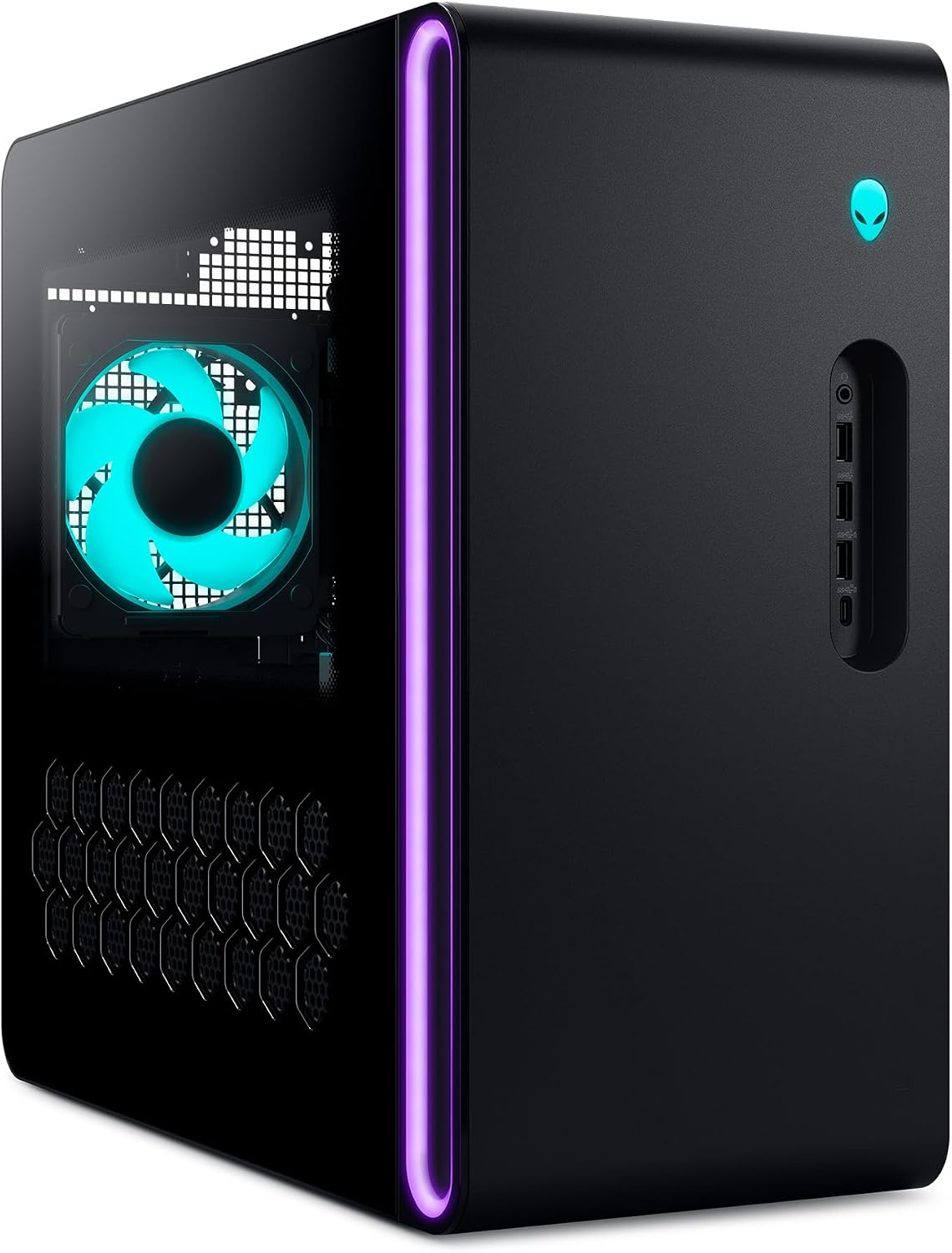
This review covers the Alienware Aurora Gaming Desktop, model ACT1250, in the configuration listed under this ASIN: an Intel Core Ultra 7 265F processor (20-core, up to 5.3GHz), NVIDIA GeForce RTX 5060 Ti (8GB GDDR7), 16GB dual-channel DDR5-5200 RAM, a 1TB NVMe M.2 PCIe SSD, a 500W Platinum-rated power supply, air-cooled CPU, and a solid (non-clear) side panel, running Windows 11 Home. This sits at the more affordable end of a wide configuration range Dell offers under the same Aurora ACT1250 chassis — the same desktop is also sold with Core Ultra 9 285F processors, RTX 5070/5070 Ti/5080 GPUs, up to 64GB RAM, and up to 8TB of storage, at correspondingly higher prices. It’s worth being clear about that range if you’re comparison-shopping listings, since “Alienware Aurora” alone doesn’t tell you which internal configuration you’re getting — always check the specific spec sheet on the listing.
Design
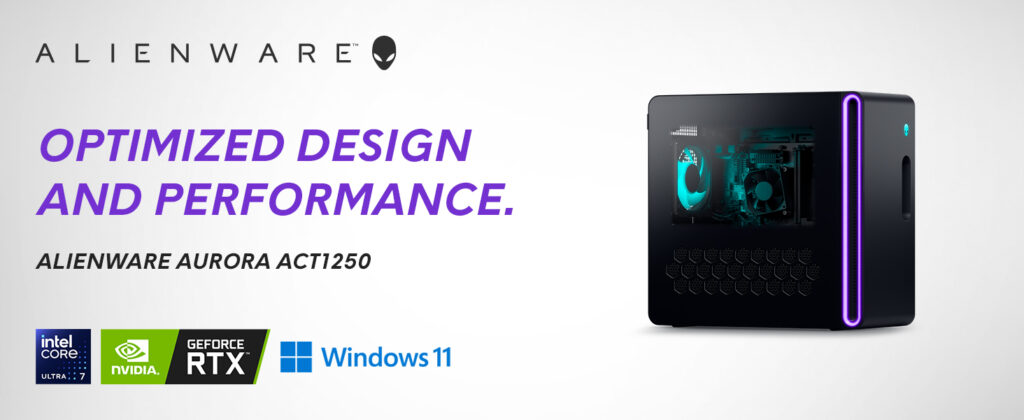
This is where the Aurora earns some of its most consistent, genuine praise. TechRadar’s hands-on review specifically called it one of the most striking desktop designs in modern PC gaming, with a compact, office-friendly form factor that still carries clear Alienware design language — a hexagonal side vent array, top exhaust, front “stadium” intake, and customizable AlienFX RGB lighting. According to Alienware’s own figures, this cooling and ventilation redesign makes the desktop around 20% quieter and about 7% cooler than the prior Aurora R15 generation, a meaningful practical improvement if noise matters to you in a shared living space.
Port selection is genuinely solid: front-facing 3.5mm audio, three USB-A ports, and a USB-C 3.2 Gen 2 port with PowerShare, plus rear line-in/line-out, optical audio, two additional USB-C ports, four more USB-A ports, and 2.5 gigabit Ethernet. One notable omission TechRadar flagged: there’s no six-channel 3.5mm surround-sound audio output, which some enthusiast users setting up dedicated surround speaker systems may miss.
The Real Trade-Off: Limited Upgradability
This is the single most important, consistent point across independent reviews, and it deserves direct treatment rather than being buried in fine print. TechRadar was explicit that the Aurora’s compact chassis and proprietary motherboard significantly limit future upgrade potential — the cramped internal space makes it difficult to add components like a dedicated sound card, and swapping in a larger GPU down the line is a real challenge given the chassis and motherboard design. Access to the interior itself is easy (a single screw and latch), so basic maintenance and storage upgrades are practical, but this is fundamentally a desktop built to be configured once at purchase and used largely as-is, not one designed for ongoing component swaps the way a standard ATX tower would be. If long-term upgradability matters to you as much as out-of-the-box performance, this is a genuine and fair reason to look elsewhere.

Gaming Performance
This is where buyer expectations need calibrating specifically to the config in this listing. TechRadar’s review unit used a step-up RTX 5070 configuration and found that 1440p performance, while genuinely capable, wasn’t a dramatic leap over the 2023 Aurora R16’s 40-series GPU in several titles — Cyberpunk 2077 native 4K performance barely moved between generations, for example, making DLSS 4 upscaling effectively essential for demanding titles rather than optional. The good news specifically for this listing’s configuration: TechRadar was direct that the entry-level builds — an Intel Core Ultra 7 265F paired with a 5060-class GPU and 16GB RAM, essentially matching what’s listed under this ASIN — are specifically well-suited to solid 1080p gaming, which is the more realistic and appropriate target resolution for this exact hardware combination rather than 1440p or 4K.
In TechRadar’s broader benchmark testing on a similar Aurora build, titles like Shadow of the Tomb Raider hit well over 200fps at 1080p Highest settings, and F1 2024 ran comfortably above 100fps at 1080p Very High with DLSS Quality — both strong results for 1080p-focused gaming, which is squarely this configuration’s intended lane. More demanding, path-traced titles like Doom: The Dark Ages required leaning on DLSS to hit smooth frame rates even at 1440p, underscoring that this specific RTX 5060 Ti / 16GB configuration is best matched to 1080p gaming rather than being pushed toward higher resolutions.
Reliability and Real-World Ownership
Buyer feedback on Best Buy is largely positive and consistent — reviewers repeatedly praised smooth multitasking, quiet operation even under heavy load, quick boot times, and a design that “feels premium.” One Best Buy reviewer specifically noted the system stayed cool and quiet (“purrs and doesn’t roar”) even when maxing out CPU and GPU simultaneously. On the more critical side, it’s worth noting at least one buyer reported receiving a unit with a GPU issue that required a replacement — not uncommon for any prebuilt PC brand at scale, but worth knowing that occasional hardware defects, while not the majority experience, do show up in real buyer feedback here as with any manufacturer.
Value
TechRadar rated the value proposition highly (4.5/5), noting that this generation’s pricing has barely moved from the prior generation despite hardware upgrades — their review configuration was actually about $100 cheaper than the equivalent 2023 model. That said, they were candid that mid-tier configurations specifically don’t always deliver a proportional performance leap over the previous generation, meaning the biggest genuine value gains from the newer RTX 50-series chips come primarily from DLSS 4’s improved upscaling and frame generation rather than raw native horsepower. For the specific entry-level configuration in this listing, though, TechRadar’s assessment was that both the cheapest 1080p-focused builds and the priciest 4K builds represent the strongest value points in the lineup — with the pricier mid-tier 1440p configurations being comparatively the weakest value in the range.
How It Compares
TechRadar specifically compared the Aurora against the NZXT Player PC (similarly specced but with less configurability, at a modestly lower price) and the Lenovo Legion Tower 5 (comparable specs and starting price, but with the same small-chassis upgradability limitations). Across this comparison set, the Aurora’s real advantage is the sheer breadth of configuration options Dell offers within the same chassis — you can genuinely dial in a build from budget 1080p up through high-end 4K without switching product lines — while its main disadvantage relative to a standard ATX tower build is the long-term expandability trade-off already discussed.
Pros and Cons
Verdict
The Alienware Aurora (ACT1250), in this entry-level Core Ultra 7 265F / RTX 5060 Ti / 16GB configuration, is a genuinely well-built, quiet, and good-looking prebuilt gaming desktop that’s specifically well-matched to smooth 1080p gaming — which is exactly the resolution TechRadar’s own testing suggests this hardware tier is best suited for. Its biggest honest trade-off, and one worth taking seriously before buying, is limited long-term upgradability: the compact chassis and proprietary motherboard make this much more of a “buy the configuration you’ll want to keep” purchase than a platform you’ll incrementally upgrade over the years. If you want a striking, ready-to-game 1080p desktop with strong day-one performance and don’t mind treating future upgrades as limited, this is an easy, well-reviewed recommendation. If long-term component upgradability is a priority, a standard ATX tower build will serve you better over time.

Related Posts

CERAKOTE Ceramic Trim Coat Kit Review: The Real Deal for Faded Plastic Trim
Overview The CERAKOTE Ceramic Trim Coat Kit is a wipe-on…
ASUS TUF Gaming F16 (2025) Review: Rugged, Reliable, and Ready to Game
Review The TUF Gaming F16 is ASUS's rugged, budget-friendly line,…

Dr. Brown’s Original Nipple, Level 2 Review: The Right Replacement Part, But Know What You’re Getting Into
Overview This review covers the specific product listed under this…
