
Overview
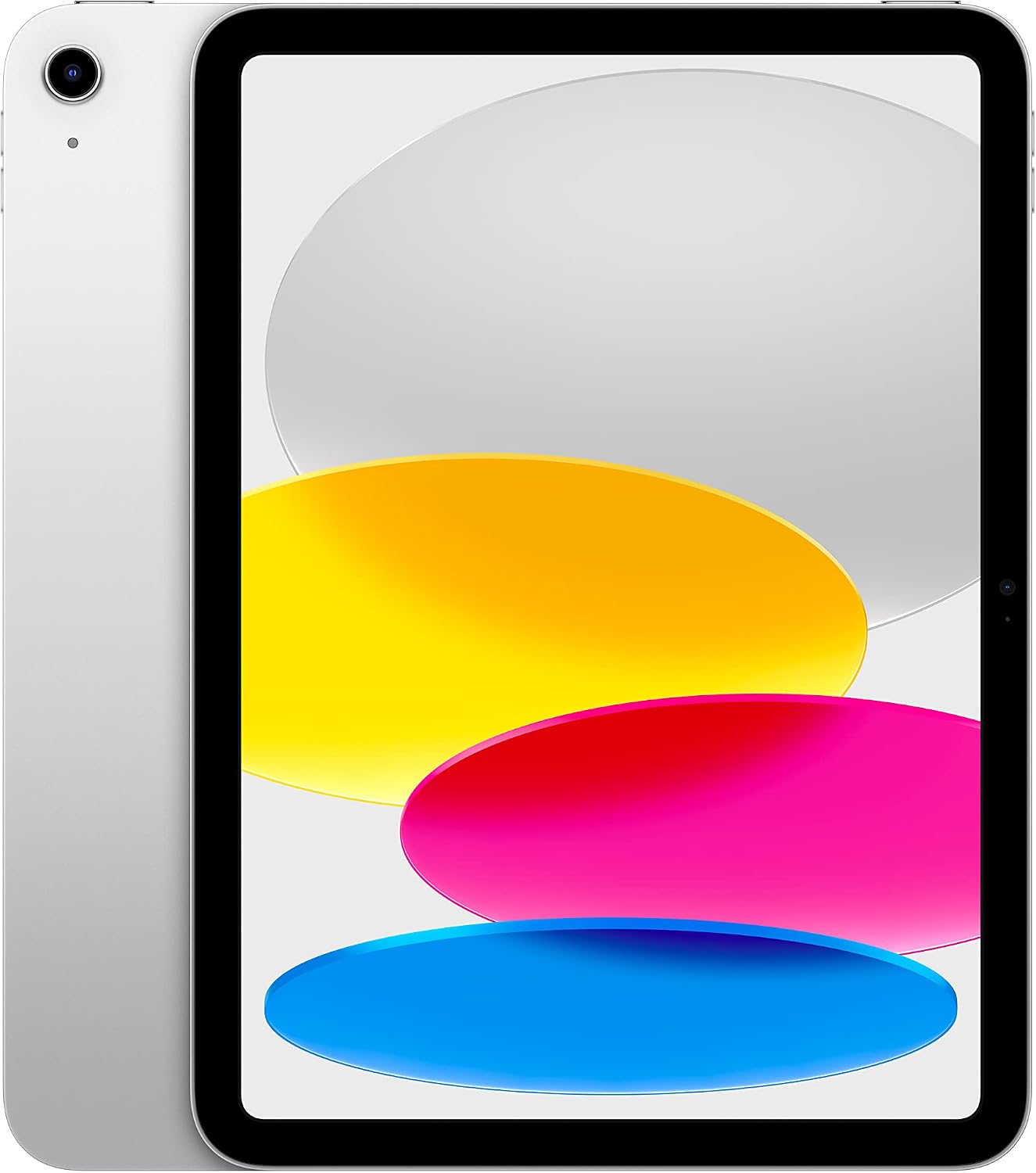
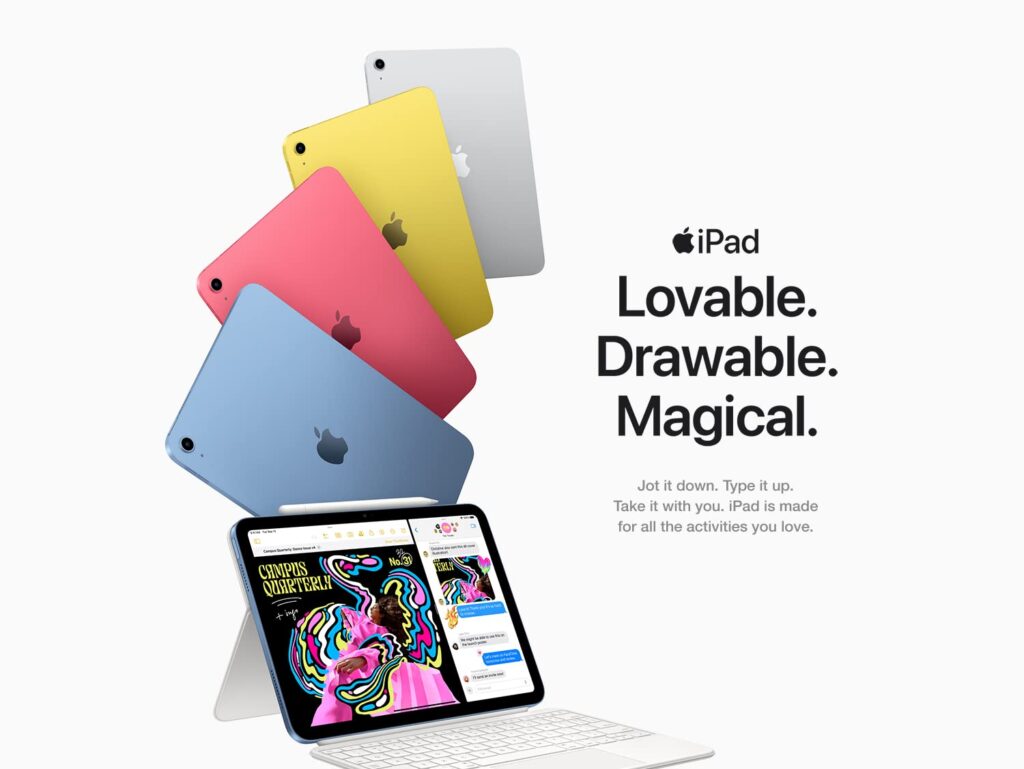
The Apple iPad (10th Generation, 2022) marked the biggest design overhaul the base-model iPad had seen in years, finally bringing Apple’s entry-level tablet in line with the more modern look introduced across the rest of the lineup. Gone are the curved edges, thick bezels, and Lightning port of the 9th-generation iPad; in their place is a flat-edged aluminum design, a larger 10.9-inch Liquid Retina display, USB-C charging, and a Touch ID button built directly into the power/sleep button. Under the hood, it runs Apple’s A14 Bionic chip with a 6-core CPU and 4-core GPU, supports Wi-Fi 6 (with 5G available on cellular models), and comes in four colors: Silver, Blue, Pink, and Yellow. CNN Underscored specifically called it “the best tablet for most” once its price settled at $349.
Design
This is where the 10th-generation iPad represents its most significant leap. TechRadar’s review described the redesign as owing most of its DNA to the iPad Air, with a nearly indistinguishable aluminum enclosure, matching 12MP rear camera and LED flash placement, and similarly positioned volume and Touch ID buttons. Tom’s Guide’s reviewer, upon first picking it up, simply said “Finally!” — noting the jump from 10.2 to 10.9 inches and the disappearance of the old Home button in favor of a nearly edge-to-edge screen, even if the bezels remain noticeable rather than fully minimized.
The relocated Touch ID sensor, now built into the power button, earned consistent praise. TechRadar specifically noted that the system thoughtfully guides you through registering two fingers for both portrait and landscape orientations, and that it works just as reliably as the classic home-button Touch ID did.
Display
The 10.9-inch Liquid Retina display runs at 2360×1640 resolution with 264 pixels per inch — technically just short of Apple’s usual “Retina” pixel density threshold, though Apple markets it as Liquid Retina regardless. Tech Advisor’s testing found it gets reasonably bright indoors at up to 500 nits, though it can be harder to read outdoors in direct sunlight, and it remains a standard 60Hz LCD panel rather than the higher-refresh ProMotion displays found on pricier iPad models.
One nitpick worth knowing: PhoneArena’s review pointed out the screen isn’t fully laminated, meaning there’s a small air gap between the display and the glass on top — press firmly and you may notice faint iridescent ripples. It’s a minor issue in day-to-day use, but a clear reminder of where Apple drew the line between this and pricier iPad models.
Performance
The A14 Bionic chip, while a couple of generations behind Apple’s most current silicon even at launch, still delivers smooth, capable performance for the vast majority of everyday tasks — web browsing, video calls, media consumption, note-taking, and light productivity work. Combined with 6-core CPU and 4-core GPU configurations, reviewers consistently describe the day-to-day experience as fluid and responsive, well-matched to the tablet’s positioning as an accessible, mainstream entry point rather than a pro-level device.
Camera Placement
One specific, well-liked engineering decision: the front-facing 12MP Ultra Wide camera with Center Stage support is positioned on the landscape edge of the tablet rather than the portrait edge, matching how most people actually prop up and use an iPad for video calls. TechRadar specifically called this placement even better thought-out than the pricier iPad Air’s camera positioning — a small but genuinely thoughtful touch for a device so often used for FaceTime and video meetings.
Battery Life
CNN Underscored’s testing found battery life holds up well for typical mixed daily use — likely requiring only a single charge per day for normal on-and-off usage. The bigger drain, as expected, comes from continuous video playback: their 4K video streaming test drained the battery in just over five hours, a reasonable but not class-leading result for the category.
Apple Pencil Compatibility
This is one of the more awkward aspects of the 10th-gen redesign, and reviewers were candid about it. Despite the new design moving the camera to the edge that used to charge the first-generation Apple Pencil, the 10th-gen iPad doesn’t include the magnets needed to charge that Pencil directly. Instead, you need to connect the included USB-C cable to the iPad, then to a separate Lightning adapter, then to the Pencil itself — a clunky, multi-step workaround for what used to be a simple magnetic snap-and-charge process. The Pencil itself isn’t included and is sold separately.
Durability
Tom’s Guide flagged a durability consideration worth knowing about: independent durability testing found the 10th-gen iPad isn’t quite as tough as its attractive design might suggest, so a case is a reasonable investment if you’re rough on your devices or plan to hand it off to kids.
Value
This is ultimately where the 10th-generation iPad earns its strongest praise. At launch, reviewers noted it sat in a slightly confusing position relative to the iPad Air and iPad Mini, which offered arguably better value at similar prices. But CNN Underscored’s assessment, revisited once the price settled at $349, was unambiguous: at that price, it comfortably reclaims the “best tablet for most people” title from its predecessor, combining a modern design, USB-C, and a genuinely capable A14 chip in Apple’s most accessible full-size iPad.
Pros and Cons
Verdict
The Apple iPad (10th Generation, 2022) represents the moment Apple’s entry-level tablet finally grew up — trading an aging design for one that finally matches the rest of the iPad lineup, while keeping the price accessible. It’s not without quirks, particularly the clumsy Apple Pencil charging situation and its non-laminated display, but for anyone who wants a reliable, modern, good-looking tablet for everyday use — browsing, streaming, note-taking, and light productivity — it remains an easy, well-reviewed recommendation, especially now that it’s settled into a genuinely competitive price point.


| RATINGS | 10.9-inch Liquid Retina display with True Tone | 11-inch Liquid Retina displaywith P3 wide color, True Tone, and ultralow reflectivity | 13-inch Liquid Retina displaywith P3 wide color, True Tone, and ultralow reflectivity | 11-inch Ultra Retina XDR display with ProMotion, P3 wide color, and True Tone | 13-inch Ultra Retina XDR display with ProMotion, P3 wide color, and True Tone |
| SECURE AUTHENTICATION | Touch ID | Touch ID | Touch ID | Face ID | Face ID |
| CHIP | A14 Bionic chip | Apple M2 chip | Apple M2 chip | Apple M4 chip | Apple M4 chip |
| APPLE INTELLIGENCE | |||||
| CAMERA | 12MP Wide camera with Smart HDR 3 | 12MP Ultra Wide front camera and 12MP Wide back camera with adaptive True Tone flash | 12MP Ultra Wide front camera and 12MP Wide back camera with adaptive True Tone flash | 12MP Ultra Wide front camera and 12MP Wide back camera with adaptive True Tone flash | 12MP Ultra Wide front camera and 12MP Wide back camera with adaptive True Tone flash |
| VIDEO | Works with Apple Pencil (1st generation) using USB-C to Apple Pencil Adapter | Works with Apple Pencil Pro and Apple Pencil (USB-C) | Works with Apple Pencil Pro and Apple Pencil (USB-C) | Works with Apple Pencil Pro and Apple Pencil (USB-C) | Works with Apple Pencil Pro and Apple Pencil (USB-C) |
| SMART KEYBOARD COMPATIBILITY | Works with Magic Keyboard Folio | Works with Magic Keyboard | Works with Magic Keyboard | Works with Magic Keyboard for iPad Pro (M4) | Works with Magic Keyboard for iPad Pro (M4) |
| CONNECTOR | USB-C connector | USB-C connector | USB-C connector | USB-C connector with support for Thunderbolt / USB 4 | USB-C connector with support for Thunderbolt / USB 4 |




Related Posts

Apple Leads Global Smartphone Sales as iPhone 17 Line Dominates Market
Apple is currently the world’s top-selling smartphone brand, according to…
CERAKOTE Ceramic Headlight Restoration Kit Review: The Easiest Way to Fix Cloudy Headlights
Overview The CERAKOTE Ceramic Headlight Restoration Kit is a no-power-tools…
Cocopar 15.6″ Portable Monitor Review: A Reliable Budget Second Screen
Review Cocopar has carved out a steady presence in the…
