
Overview
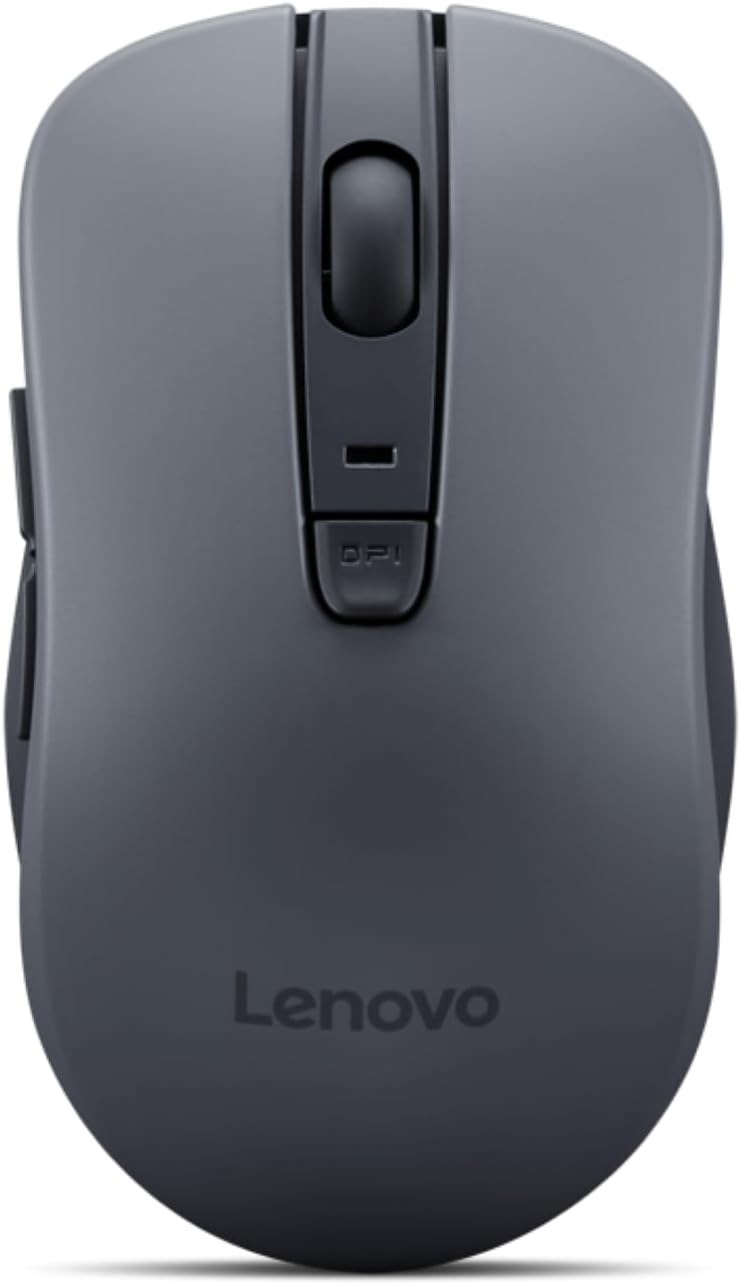
The Lenovo WL310 Bluetooth Silent Mouse is a compact, receiver-free wireless mouse built around three core priorities: quiet operation, ergonomic comfort, and cross-platform reliability. It connects via Bluetooth 5.0 directly to Windows, Mac, or Chromebook devices with no USB dongle required, runs on a single AA battery rated for up to three months of use, and offers adjustable DPI settings (specs vary slightly by listing, with either 800/1200/1600 or 1000/1200/1600 DPI depending on region) to switch between precision and speed on the fly. It ships in a sleek grey finish and is priced as an affordable, everyday productivity accessory.
Ergonomics and Comfort
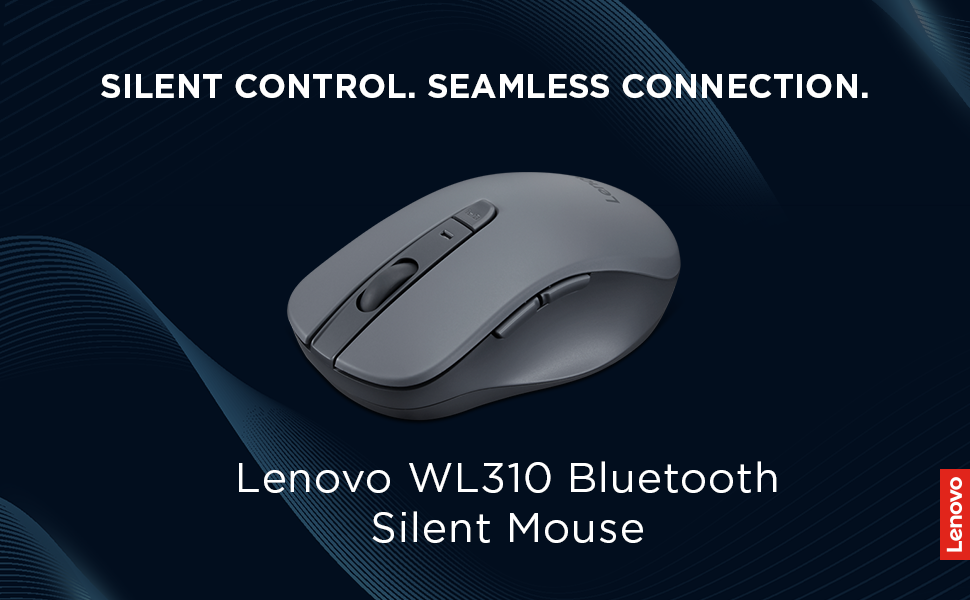
This is consistently the mouse’s strongest selling point across reviews and retailer descriptions. The WL310’s shape is specifically designed to fit comfortably in the hand and reduce wrist and thumb strain during extended use — Lenovo’s own product materials highlight its ergonomic design as a fatigue-reduction feature for long work sessions, and third-party reviews echo that it delivers genuine comfort for both professional and casual use. One independent review specifically praised the mouse for combining comfort with quiet usability, calling it a dependable choice for extended, noise-free peripheral use.

Silent Clicks
The headline feature is right there in the name, and it’s genuinely the mouse’s standout differentiator. The silent click mechanism produces noticeably quieter clicks than a standard mouse, which reviewers consistently frame as ideal for shared workspaces, late-night projects, or any environment where a normal mouse’s clicking would be distracting — open offices, libraries, or a bedroom shared with a sleeping partner. One hands-on video reviewer specifically noted they’d never used a silent-click mouse before this one and didn’t think they could go back to a standard clicky mouse afterward, a strong practical endorsement of how noticeable the difference actually is in daily use.

DPI and Precision
The adjustable DPI settings give the WL310 real flexibility across different tasks — lower sensitivity for detailed design or editing work, higher sensitivity for faster navigation or casual gaming. It’s not marketed or built as a precision gaming mouse, but for everyday productivity, browsing, and general computer use, the range of DPI options covers what most users need without added complexity.

Connectivity
Bluetooth 5.0 connectivity is a genuine convenience here — no USB receiver to lose or take up a port, and it pairs directly with Windows 10/11, Mac, and Chromebook devices. This receiver-free design is specifically called out across multiple sources as a meaningful advantage for travel and portability, since there’s one less small part to keep track of in a laptop bag. Reviewers describe the Bluetooth connection as stable and lag-free for typical productivity use.
Battery Life
Running on a single AA battery, the WL310 is rated for up to three months of use per Lenovo’s own specifications — a solid, low-maintenance figure that means you’re not frequently swapping batteries or hunting for a charging cable. This kind of longevity is a meaningful practical advantage for anyone who doesn’t want to think about their mouse’s power status day to day.
Portability
At a compact, lightweight size, the WL310 is genuinely well-suited to being tossed in a laptop bag or backpack without adding noticeable bulk — several reviews specifically frame it as a strong travel companion for students and professionals who move between locations regularly.
Considerations
Independent reviews are candid that comfort and tactile feedback preferences can vary by hand size — the WL310’s shape, while broadly ergonomic, may not feel like a perfect fit for every hand, and the silent click mechanism, while quiet, does trade off some of the tactile “click” feedback that some users specifically prefer from a standard mouse. Neither is a flaw so much as a design trade-off worth being aware of if you have strong preferences either way.
Pros and Cons
Verdict
The Lenovo WL310 Bluetooth Silent Mouse delivers exactly what it promises: a comfortable, quiet, genuinely portable mouse that works reliably across whatever device you’re using, without needing to babysit a USB receiver or battery level. The silent clicks are the real differentiator, and reviewers consistently describe them as a feature you notice immediately and appreciate quickly. For students, professionals, or anyone working in shared or noise-sensitive spaces, it’s an easy, affordable recommendation.
Related Posts
Amazon Echo Studio (1st Gen) Review: The Older Model Many Reviewers Still Prefer Over Its Own Successo
Amazon Echo Studio (1st Generation) Review An important clarification before…

EasyWring Spin Mop: Is It Worth Buying?
The O-Cedar EasyWring is one of the best-selling spin mops…
Samsung Galaxy S26 Ultra (512GB) Review: The Best Android Flagship, With Some Real Growing Pains
Samsung Galaxy S26 Ultra Review The Galaxy S26 Ultra is…
