Lenovo Tab One Review

Overview
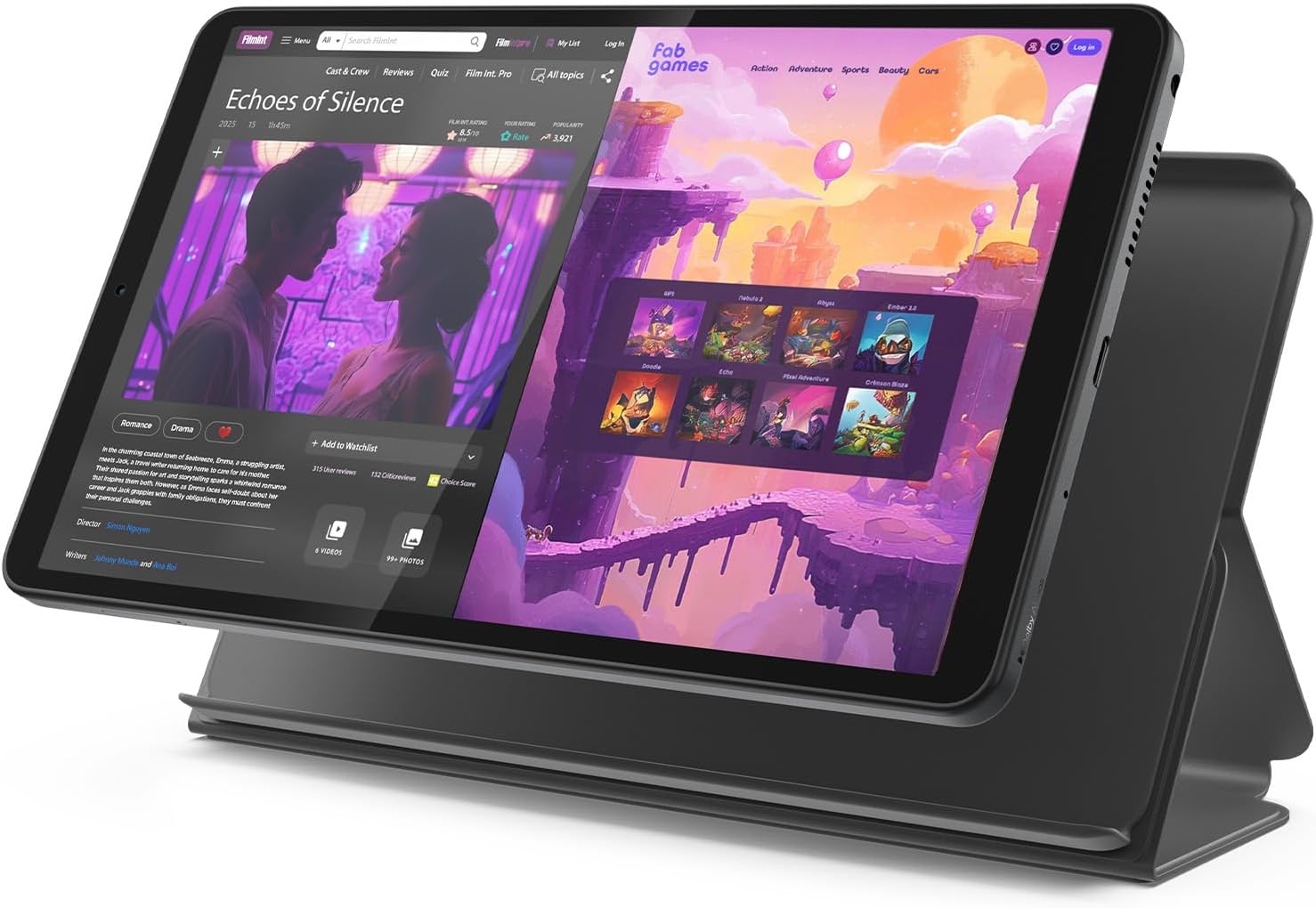
This review covers the Lenovo Tab One (also sold internationally as the Lenovo Tab K9), specifically the configuration listed under this ASIN: 8.7-inch HD display, 4GB RAM, 64GB storage, MediaTek Helio G85 processor, in Luna Grey, with an included Folio Case. This is Lenovo’s entry-level tablet, sitting well below the company’s Idea Tab and Idea Tab Pro lines in both price and specs — it’s worth being clear about that positioning upfront, since some of the more critical feedback in this review reflects genuine, expected trade-offs of a tablet that frequently sells for well under $100, rather than manufacturing flaws.
The tablet weighs under a pound, runs Android 15 (some earlier units shipped with Android 14, later updated), and includes a 5,100mAh battery, dual Dolby Atmos speakers, a 3.5mm headphone jack, and microSD expansion up to 1TB.


Display: A Real, Honest Limitation
This is the area where independent reviewers are most consistent, and it deserves direct treatment rather than being softened. The 8.7-inch IPS panel runs at 1340×800 resolution — roughly 720p-equivalent, working out to about 179 pixels per inch. Consumer Reports’ formal testing found this results in heavy pixelation in small text, along with undersaturated colors and comparatively weak contrast and brightness relative to sharper displays. MyNextTablet’s review echoed this directly, noting text doesn’t look as sharp as it would on a Full HD panel, though it credited the IPS technology with still delivering decent color and stable viewing angles. Notebookcheck’s independent lab review specifically flagged “low pixel density” as one of the tablet’s core listed cons.
It’s worth noting one genuine bright spot here: the panel does hit a respectably bright 480 nits, which several reviewers noted makes it usable outdoors or in well-lit rooms despite the resolution limitations — Consumer Reports specifically called out its reduced glare and outdoor visibility as a plus, even while critiquing overall sharpness.
Performance: Fine for Casual Use, A Real Ceiling for Multitasking
This is the second consistent theme across reviews, and it’s a fair, expected trade-off for the price point rather than a surprise defect. Consumer Reports’ formal benchmarking found the Tab One performs slower than most other tested tablets, with fair (not fast) speeds on everyday tasks like web browsing and email, and slower-than-average boot times. MyNextTablet’s hands-on testing found it lagged noticeably during first startup and can quickly become overwhelmed if you try to run more than one demanding task simultaneously.
That said, for the specific use cases this tablet is actually built for, reviewers found it holds up reasonably well: casual games like PUBG Mobile run smoothly on low settings, and everyday tasks like streaming, browsing, and reading feel adequate. Where the cracks show, according to multiple independent reviews including Review-Rating’s detailed testing, is heavier multitasking — keeping four or five Chrome tabs open while video plays in the background reliably produces stuttering and app reloads, a direct consequence of the 4GB RAM ceiling. If you’re picturing a tablet you’ll use for serious productivity, video calls while referencing documents, or heavy multi-app workflows, this isn’t built for that job, and multiple reviewers were direct in saying so.
Who This Tablet Is Actually Good For
Several reviewers converged on a similar, genuinely useful framing: this is a strong pick specifically for casual media consumption, reading, kids’ use, and light browsing — and a poor fit for demanding gaming, serious multitasking, or productivity work. Review-Rating specifically noted that kids using it for educational apps or video rarely generate complaints, and the tablet officially supports Netflix in HD resolution thanks to Widevine L1 certification — a detail worth knowing, since some budget tablets lack proper DRM certification and get stuck streaming at reduced quality.

Battery Life and Charging
This is a genuine strength across every source. Lenovo’s claimed 12.5 hours of YouTube streaming held up well enough in general reviewer sentiment that it’s cited consistently and without significant pushback across multiple sources, and the 5,100mAh battery is described as reliably lasting a full day of typical casual use. The tablet supports 15W charging, which Notebookcheck still flagged as comparatively slow relative to faster-charging competitors, but it’s a reasonable trade-off most reviewers accepted given the price.
Audio
The dual Dolby Atmos speakers are a genuine, repeated highlight in reviews — an unusually nice inclusion for a tablet in this price bracket, and multiple sources specifically called out the sound depth as impressive relative to expectations.
Build Quality and Design
Notebookcheck’s detailed lab review specifically praised the build quality and modern design as genuine positives, alongside a useful list of expected features for the price: a 3.5mm headphone jack, microSD expansion, and (on the LTE variant, not this base Wi-Fi model) GPS support. The Folio Case included in the box adds real practical value, providing protection and a built-in stand for hands-free viewing — a thoughtful inclusion that not all budget tablets bother to include.
Software and Long-Term Support
This is a fair point of caution. Notebookcheck’s review flagged the tablet’s storage as “lame eMMC” flash memory rather than faster UFS storage found on pricier tablets, and while Lenovo commits to 2 years of security patches, that’s a modest commitment compared to some competitors, and reviewers generally don’t expect heavy long-term software support at this price tier.
How It Compares
It’s worth being direct about positioning: this tablet is not designed or priced to compete with an iPad or a mid-range Android tablet, and reviewers uniformly frame it that way rather than pretending otherwise. PhoneArena’s coverage of a Black Friday deal on this tablet captured the honest sentiment well — at its lowest sale prices (sometimes under $80), it’s framed as an easy recommendation specifically because expectations are calibrated to that price, not because it competes on specs with pricier alternatives. If you’re comparing it to Lenovo’s own step-up Idea Tab line (with a sharper 2.5K display and more RAM), that’s a meaningfully different tier of tablet at a meaningfully different price.
Pros and Cons
Verdict
The Lenovo Tab One is a good example of a budget tablet that mostly delivers exactly what it promises, provided you go in with calibrated expectations. It’s a genuinely solid pick for casual streaming, reading, web browsing, and kids’ use, backed by real strengths in battery life, speaker quality, and an included protective case — all rare at this price. Where it falls short is unsurprising given its positioning: the display resolution is soft by modern standards, and 4GB of RAM creates real friction the moment you try to multitask heavily. If you want an affordable, no-frills secondary tablet for media consumption or a first tablet for a child, multiple independent reviewers agree this is a smart, well-reviewed choice, especially at its frequent sale pricing. If you’re hoping for a tablet that also handles serious productivity or gaming, Lenovo’s own pricier Idea Tab line, or a different brand entirely, will serve you better.

Related Posts

Lenovo Legion 5i (RTX 5070, OLED) Review: Excellent Value, With a Naming Trap to Watch For
Lenovo Legion 5i Review A naming clarification worth making first,…

Ember Mug 2 Review (2026): Still the Best Smart Heated Mug — With One Major Caveat
Precision temperature control to within 1°F, seamless app integration, Apple…

Cosori 10-Cup Rice Cooker Review: A Genuinely Versatile Fuzzy Logic Cooker, With a Few Things to Watch For
Overview This review covers the Cosori Rice Cooker, 10 Cup…
