
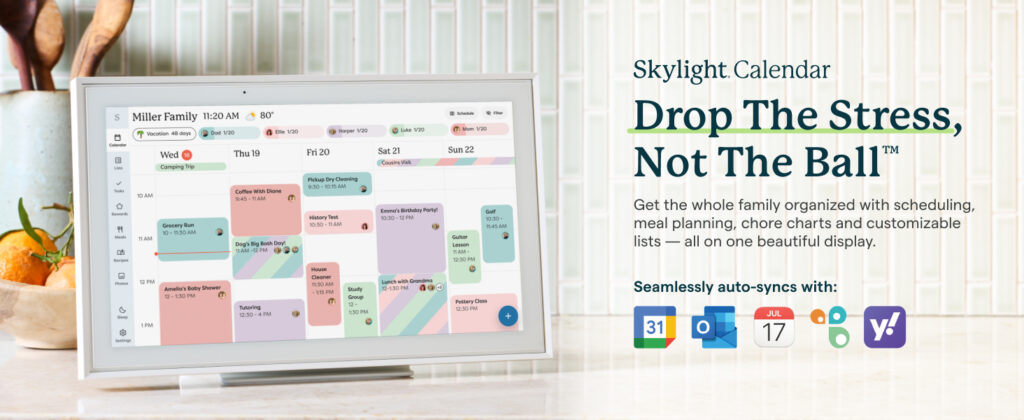
A 15.4-inch HD touchscreen, color-coded family scheduling, chore charts, meal planning, and syncing with Google, iCloud, and Outlook — all in one wall-mounted display. The Skylight Calendar is the most polished family organizer on the market. The catch? The best features require an annual subscription.
Introduction
Every busy household eventually hits the same wall: scattered schedules, forgotten chores, and the daily “what’s for dinner?” conversation. The Skylight Calendar was designed as a single answer to all of those frictions — a dedicated, always-on family hub that lives on the wall and keeps everyone in sync without requiring anyone to open an app or hunt for a paper calendar. It’s a genuinely well-built product with thoughtful software. But understanding exactly what you get for the hardware price versus the optional subscription fee is essential before buying.
What is it?
The Skylight Calendar is a Wi-Fi connected touchscreen display — available in 15″ and 27″ sizes — designed to serve as a shared family command center. It syncs with existing digital calendars, displays color-coded schedules for each family member, includes an interactive chore chart, supports meal planning, and is managed via a free companion app. It mounts on the wall or sits on a countertop via the included stand. Setup takes under five minutes: plug in, connect to Wi-Fi, sync your calendars, and it’s live.
Key specifications
| Screen size | 15.4 inches HD touchscreen (also available in 27″) |
| Orientation | Portrait or landscape (wall mount included) |
| Calendar sync | Google Calendar, iCloud, Outlook, Cozi, Yahoo |
| Color coding | Assign individual colors per family member |
| Chore chart | Yes — assign, track, and check off tasks |
| Meal planning | Yes (import recipes via URL or photo — Plus plan) |
| Connectivity | Wi-Fi required (2.4GHz / 5GHz) |
| App | Free iOS & Android companion app |
| Mounting | Wall mount + countertop stand included |
| Sleep mode | Yes — auto-off schedule to save energy |
| Power | Plugged in (no battery) |
| Subscription | Free basic plan + Skylight Plus ($39.99/yr) |
Free plan vs. Skylight Plus — what you actually get
Free Plan
$0/yr
Calendar sync, color coding, basic chore chart, wall mount. Core scheduling works without a subscription.
Skylight Plus
$39.99/yr
Meal planning, recipe import (URL & photo), magic PDF/email import, shopping list, premium chore features, reminders, and more.
⚠️ Important: The first month of Skylight Plus is included free with every purchase. After that, it auto-renews at $39.99/year. The core calendar and chore chart work without it — but meal planning and recipe import require the paid tier.
Pros and cons
✓ Pros
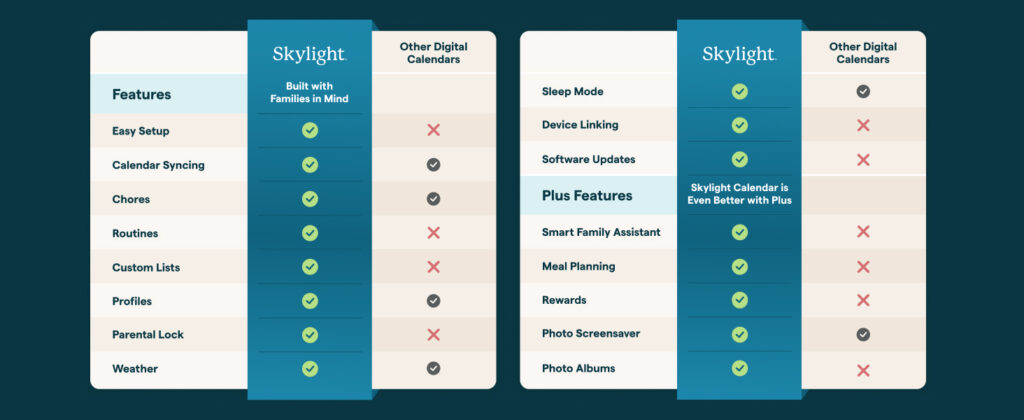
- Setup in under 5 minutes — genuinely plug-and-play
- Syncs with all major calendar platforms
- Color-coded per family member — instantly readable
- Interactive chore chart builds kids’ independence
- Meal planning + recipe import (Plus) saves real time
- Magic import — forward PDFs/emails to populate events
- Portrait and landscape modes, wall or countertop
- App lets parents manage everything remotely
- Sleep mode reduces energy use overnight
- Beautiful, unobtrusive design for any room
✗ Cons
- Best features locked behind $39.99/yr subscription
- Requires permanent power — no battery
- No offline mode for syncing (Wi-Fi always needed)
- 15″ may feel small for large families (consider 27″)
- No built-in speaker for audio reminders
- App required for remote management — adds dependency
- High upfront price relative to basic alternatives
Performance in practice
The Skylight Calendar’s strongest suit is how frictionless it makes family coordination. Calendar sync with Google, iCloud, and Outlook is near-instant, and the color-coded layout makes it easy to see at a glance who has what on any given day — without anyone needing to consult their phone. The chore chart is well-designed for households with children: tasks can be assigned to individuals, checked off directly on the screen, and managed remotely via the app. The tactile interaction of checking off a chore on a wall screen is more engaging for kids than a phone notification.
The Skylight Plus meal planning feature is the most compelling premium addition. Being able to import a recipe by pointing the phone camera at a cookbook page, a website URL, or even a forwarded email and having it appear on the kitchen display — complete with a generated shopping list — genuinely saves time for households that cook regularly. The magic import feature, which lets you forward any PDF (sports schedules, school newsletters, event confirmations) and have Skylight automatically parse and add the relevant events to the calendar, is the kind of feature that becomes indispensable once you use it regularly.
Who is this for?
Great fit
- Families with kids in multiple activities
- Households that struggle with schedule coordination
- Parents who want to build chore habits
- Couples with shared Google/iCloud calendars
- Home offices needing a shared planning hub
Consider alternatives if…
- You want no ongoing subscription cost
- Your household already runs smoothly on phone calendars
- You need audio reminders or smart speaker integration
- Budget is the primary concern
How it compares
Want a larger screen?→ Skylight Calendar Max 27″ (same features, bigger display)
Want no subscription ever?→ Dragon Touch 15.6″ Digital Calendar (lower price, fewer features)
Want voice + display combined?→ Amazon Echo Show 15 (Alexa integration, different use case)
Want photos + calendar combined?→ Skylight Frame + separate calendar app
Final verdict
8.8 out of 10
★★★★☆
The most thoughtfully designed family calendar display on the market. The subscription is a real cost to factor in — but for busy families, the time it saves quickly justifies it.
The Skylight Calendar 15″ is the best smart family organizer currently available — and it’s not particularly close. The combination of instant calendar sync, color-coded scheduling, interactive chore charts, and the Skylight Plus meal planning and magic import features addresses the most common household coordination pain points in a single, elegant display. The $39.99/year subscription is a real ongoing cost, but for a household that actively uses the meal planning and magic import features, the time savings make it easy to justify. If your family is frequently juggling multiple schedules and you want one place where everyone stays informed, this is the product built for exactly that.
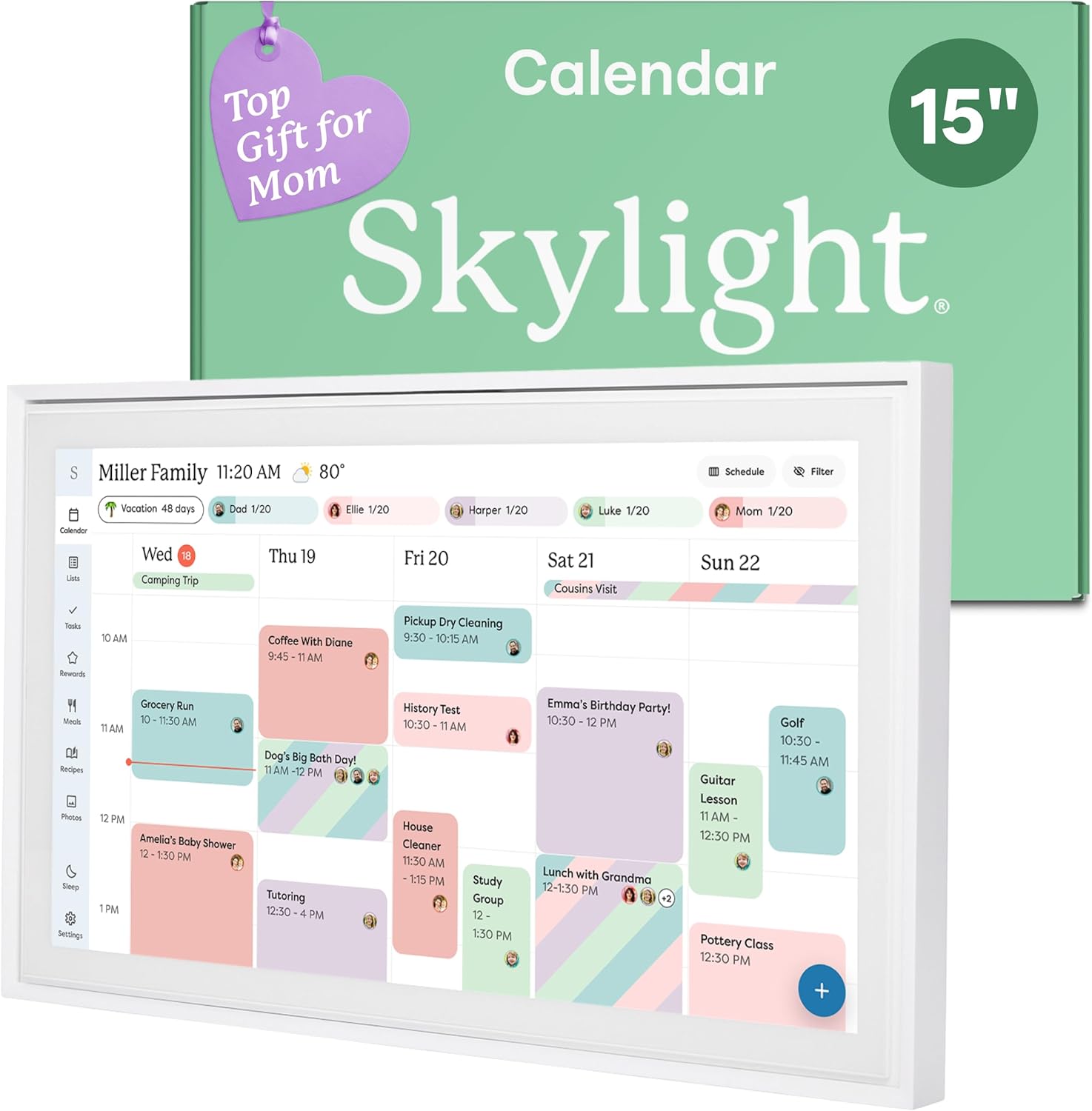
•The Ultimate Smart Wall Planner Calendar: Meet Skylight’s 15.4” touchscreen wall planner – a digital calendar and chore chart built for busy families. Assign colors, add events, and keep everyone in sync in one central hub. Designed for 2025 and beyond.
•Easy Setup, Seamless Calendar Syncing: Plug in, connect to Wi-Fi, and sync your calendars in minutes. Compatible with Google, iCloud, Outlook, Cozi, and Yahoo. Add events directly on the device or through the Skylight app.
Related Posts

Owala FreeSip Insulated Stainless Steel — Full Review
🧠 Overview The Owala FreeSip has quickly become one of…
Tikom G8000 Max Review: A Budget Robot Vacuum That Covers the Basics Well
Overview The Tikom G8000 Max is a budget-friendly 2-in-1 robot…
Hisense 32″ QD4SR Hi-QLED Roku TV Review: Great Color for a Small Budget TV, But Check the Resolution First
Hisense 32" QD4SR Hi-QLED Roku TV Review Overview This review…
